Operator user‟s manual
52/78
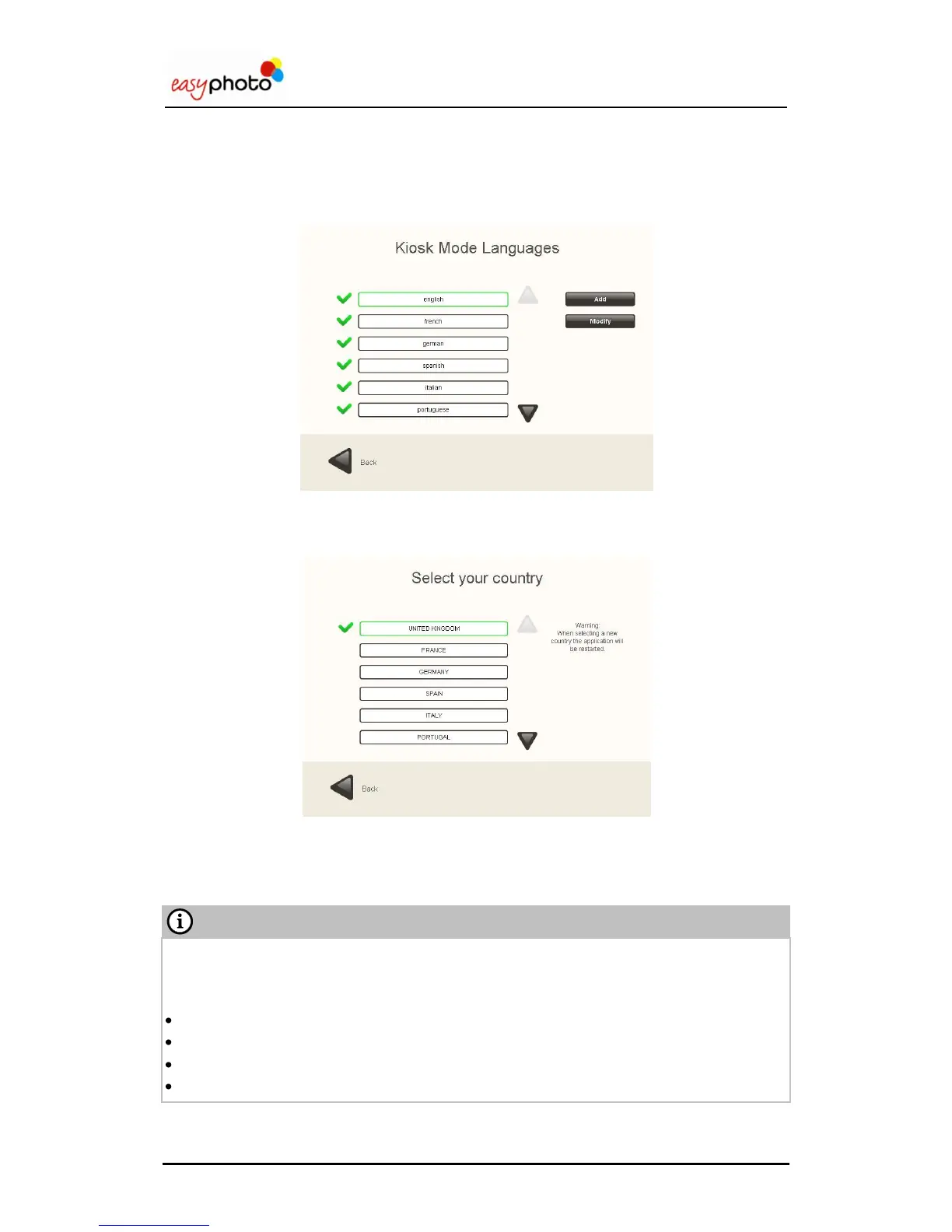
4.2.1.2 Select Kiosk Languages
1. Use the arrows to display all the languages.
2. Press the languages to select them.
4.2.1.3 Select Country
1. Use the arrows to display all the countries.
2. Press the country to select it (only one can be selected at the same time).
When changing the country, the application is automatically restarted with the new country
parameters already set.
Selecting a country means that the following parameters are changed:
Default easyphoto language.
Currency (symbol and symbol position).
Measurement units (cm or inches).
VAT information message (needs to be entered in the text box).


 To Next Page
 Loading...