Operator user‟s manual
29/78
3.7.5 Selecting and working with the pictures
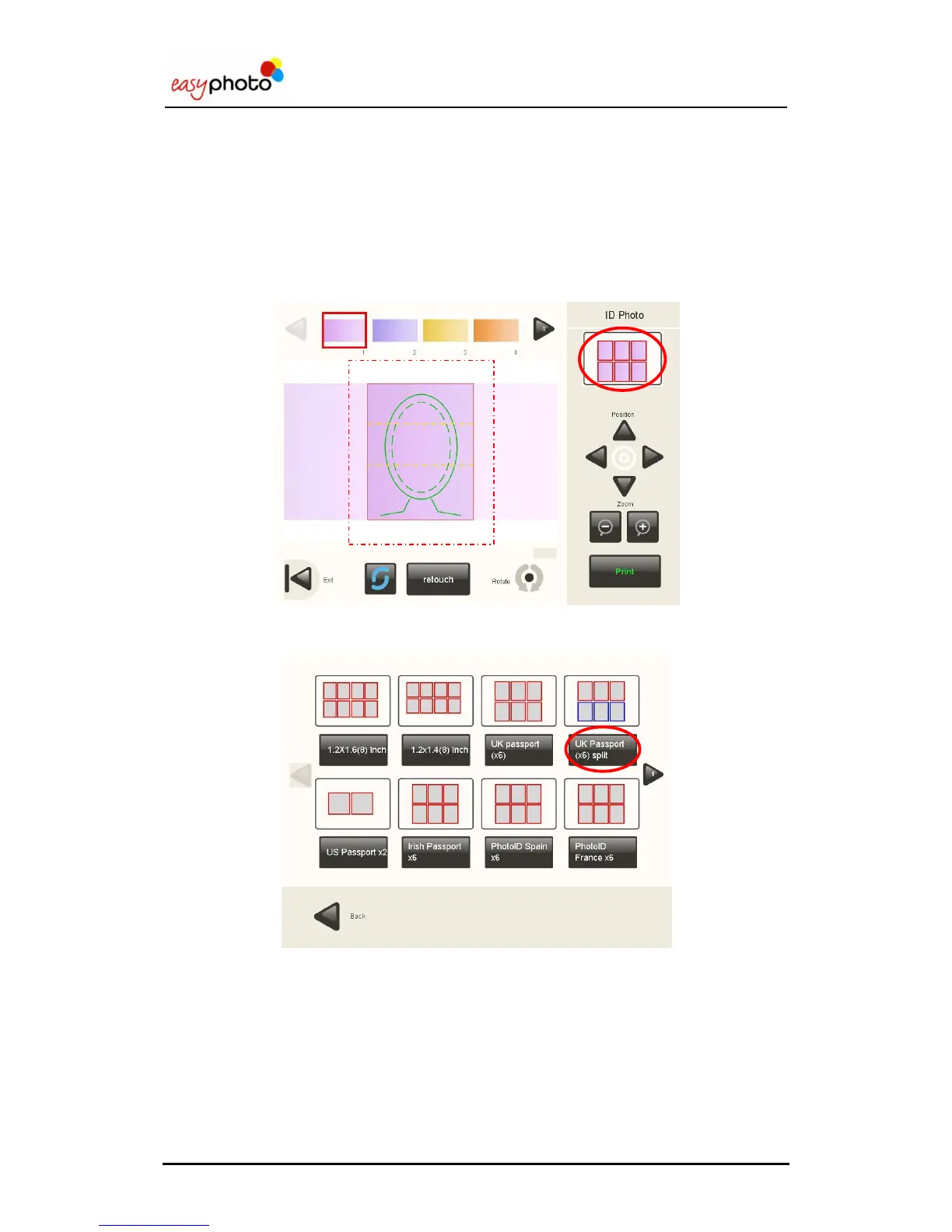
In the top area, the pictures read from the source are shown. When selecting any of them, the
picture will be loaded to be shown in the central area.
In this screen, it‟s also possible to change the layout by clicking on the preview placed on the
top-right corner.
The select layout screen will appear again to restart the workflow.


 To Next Page
 Loading...