Operator user‟s manual
30/78
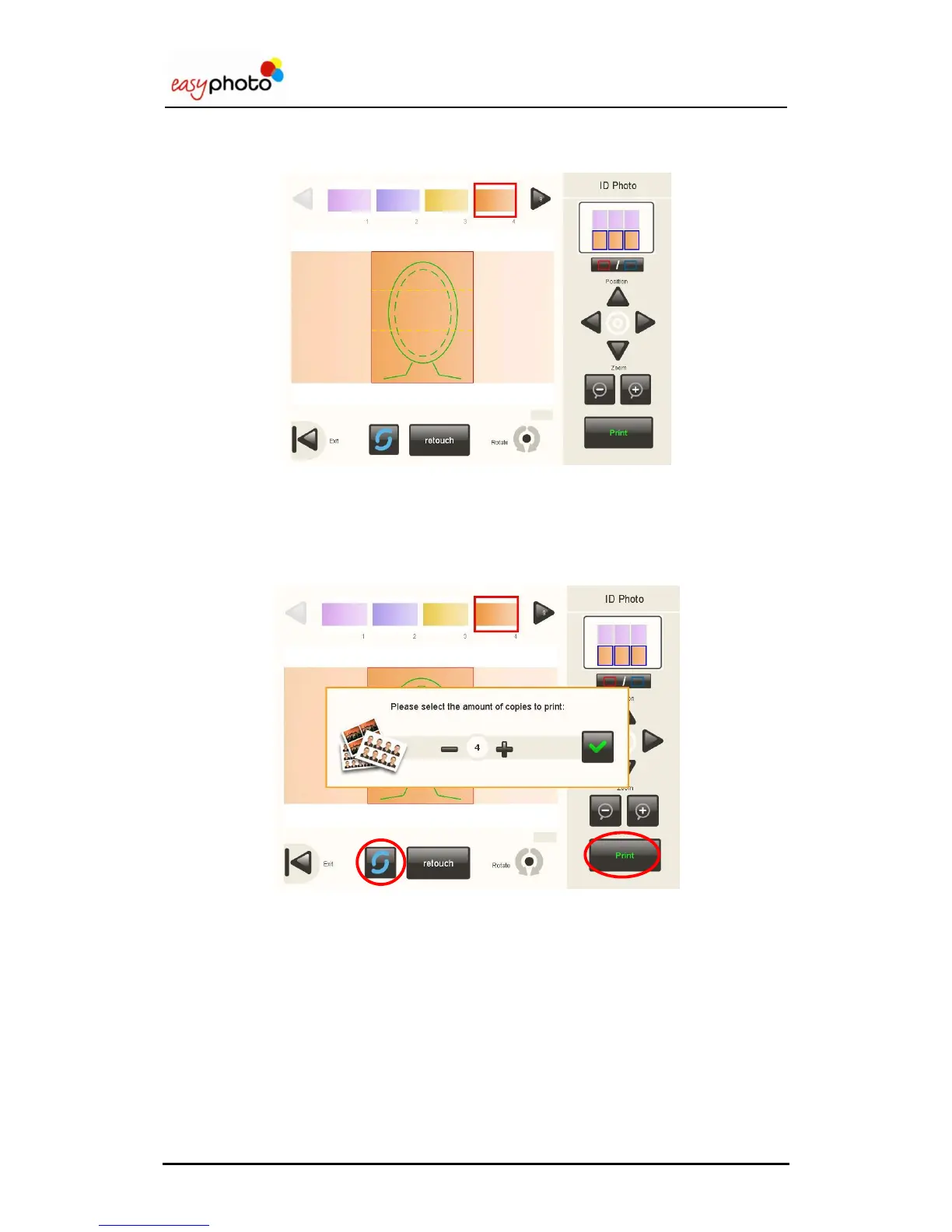
Once in the Photo ID screen again, it‟s possible to select another picture.
3.7.6 Printing
After pressing the “Print” button, a pop-up will appear in order to determine the amount of
copies desired.
When pressing the refresh button, the latest images from the picture source are reloaded.
When using a camera with PTP connection, only the latest 8 images from the device are
loaded.


 To Next Page
 Loading...