Operator user‟s manual
53/78
4.2.1.4 Date / Time
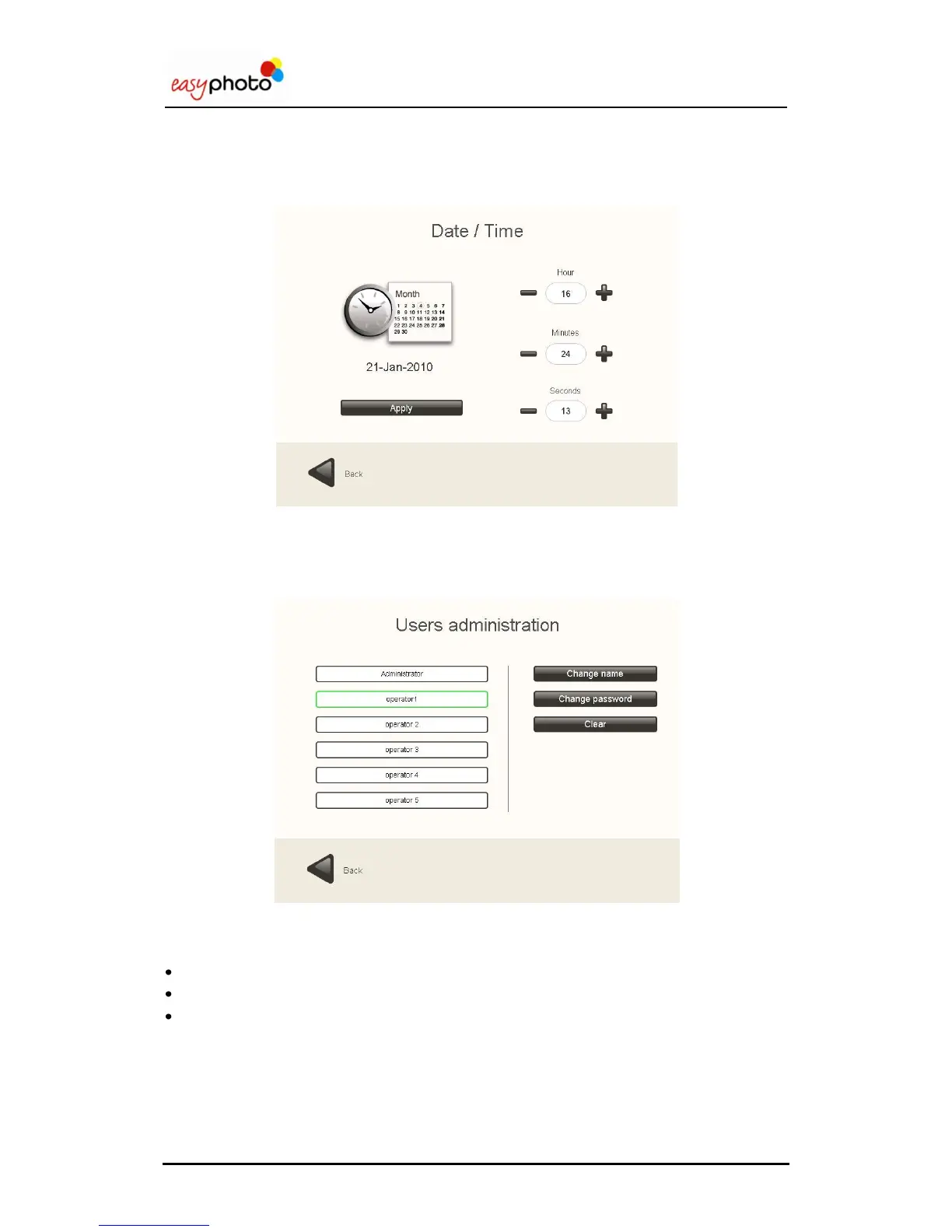
Date and time configuration.
In order to advance or take the date back, „hour‟ setting must be changed. Only 1 day shifting
can be applied.
4.2.2 User’s administration
Once the “User‟s administration” button is pressed, the following screen is showed:
On this screen:
Press the “Change name” button to modify the name of the operator and the supervisor.
Press the “Change password” button to modify the supervisor or operator passwords.
Press the “Clear button” to restore the modified names of operators and supervisor.



 To Next Page
 Loading...