Operator user‟s manual
74/78
7 ACTIVATING ADDITIONAL LICENSES
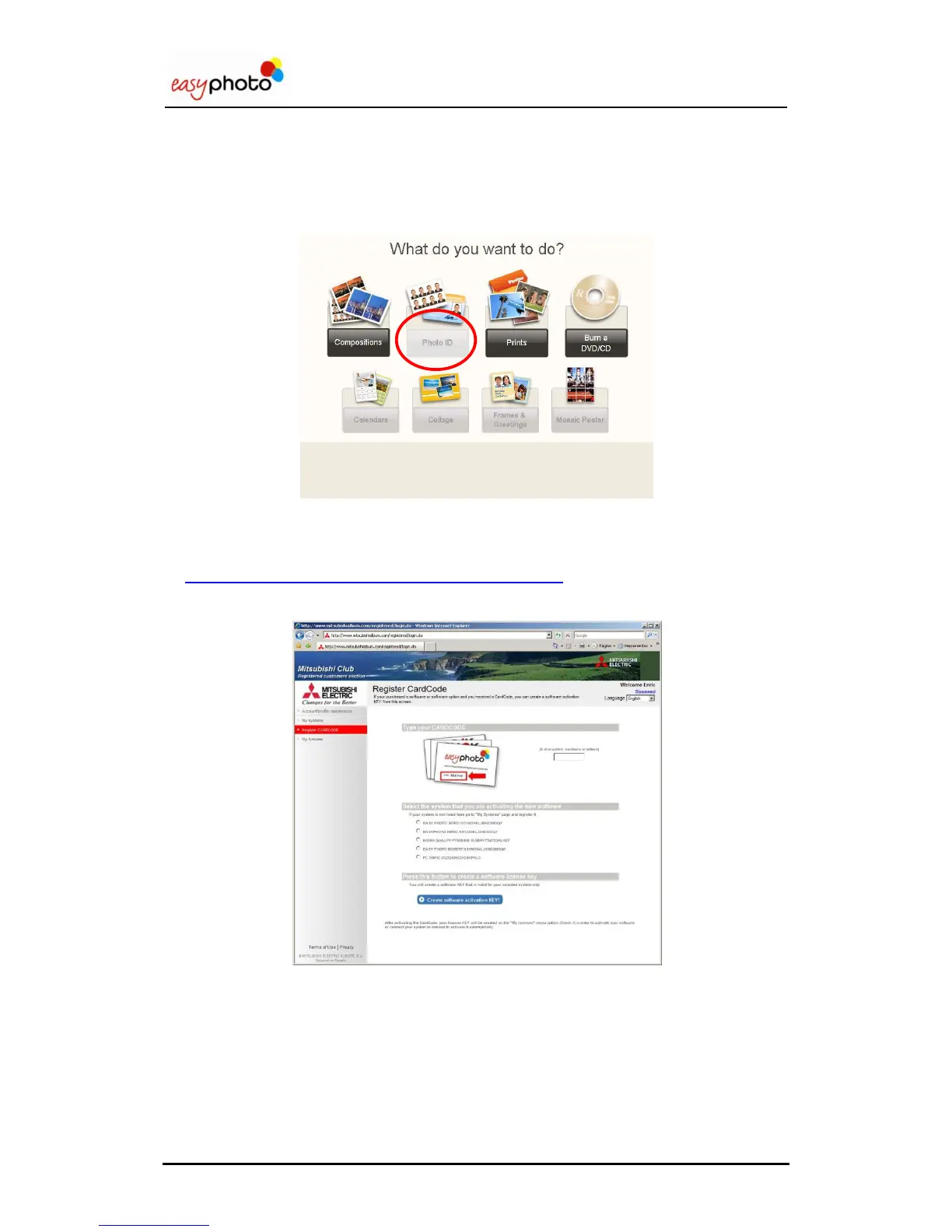
It‟s required to activate additional licenses (like PhotoID) in order to access the whole
functionalities of the system. While the license is not active, the service will be visible in the
main screen but not accessible, with the button disabled.
7.1 Register and Getting the Activation KEY
You need to be a registered user to activate your licenses. Please connect to
http://www.mitsubishiphoto.com/cardcode and follow the instructions to
register and activate the licenses.
A CardCode is supplied when a new license (service) is purchased. Please ask your dealer for
a CardCode in order to activate additional licenses.
You will need the CardCode number and also your SYSTEM_ID during the activation.
The SYSTEM_ID is a unique code that identifies your system. It‟s shown in the Administration
screen of the easyphoto application.


 To Next Page
 Loading...