Operator user‟s manual
24/78
3.5.1 Selecting photos
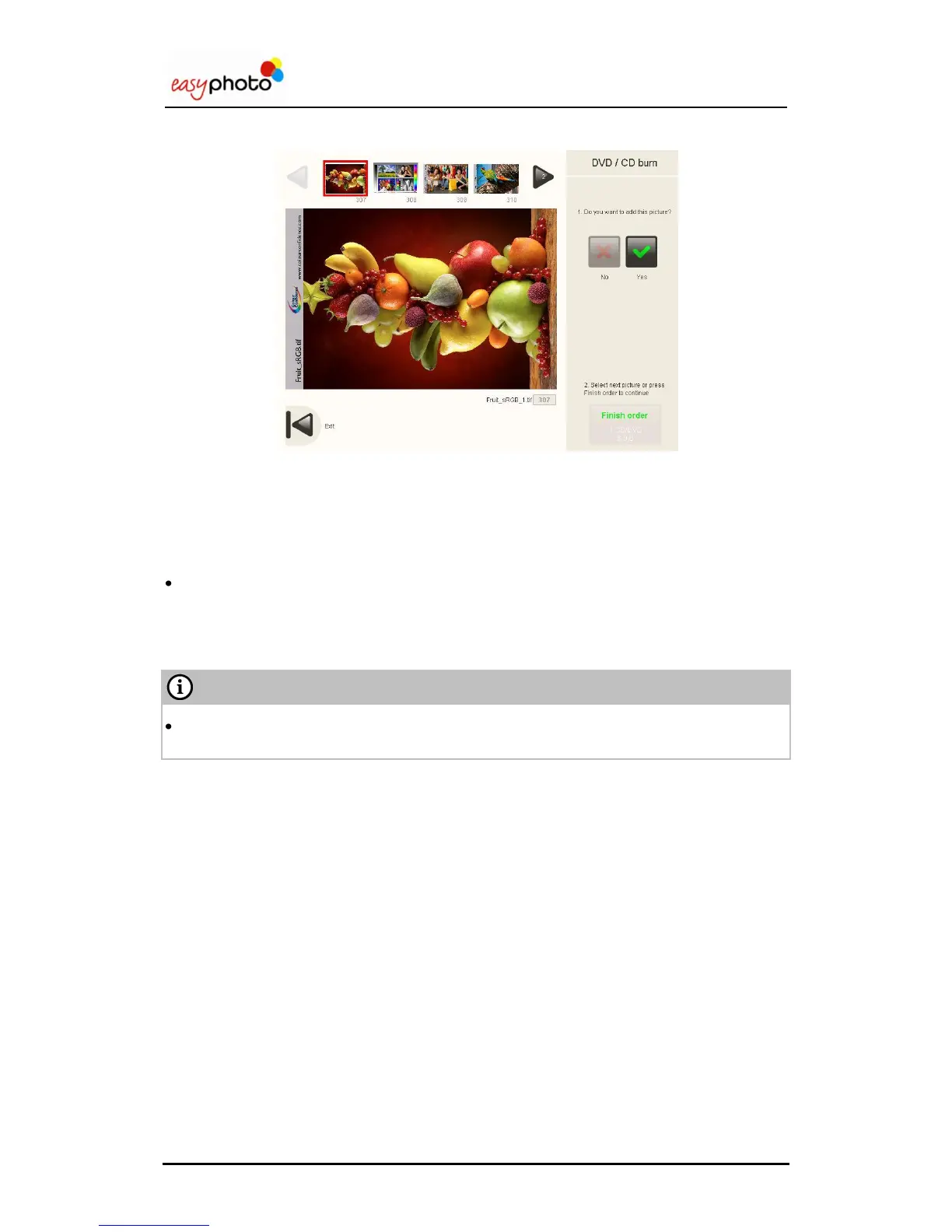
Once the “Select photos” button is pressed, the following screen is showed:
For selecting the images:
1. Use the arrows to display all the images.
2. Press the desired image to select it.
Press “Yes” to copy it and “No” to deselect it.
Press “Back” button to escape this screen.
Press “Finish order” to burn it.
In this moment the screens explained from point 3.4.3 (Additional services: Would you like
to add an indexprint?) will be displayed.


 To Next Page
 Loading...