The pictures used for this service must be carefully selected in order to avoid
undesirable results. The subtle separation between the pieces of the mosaic can hide
important parts of the picture, as instance in people portrait photos, hiding part of the
face. The zoom and pan adjustments, together with the poster size, have a great
influence in the final result.
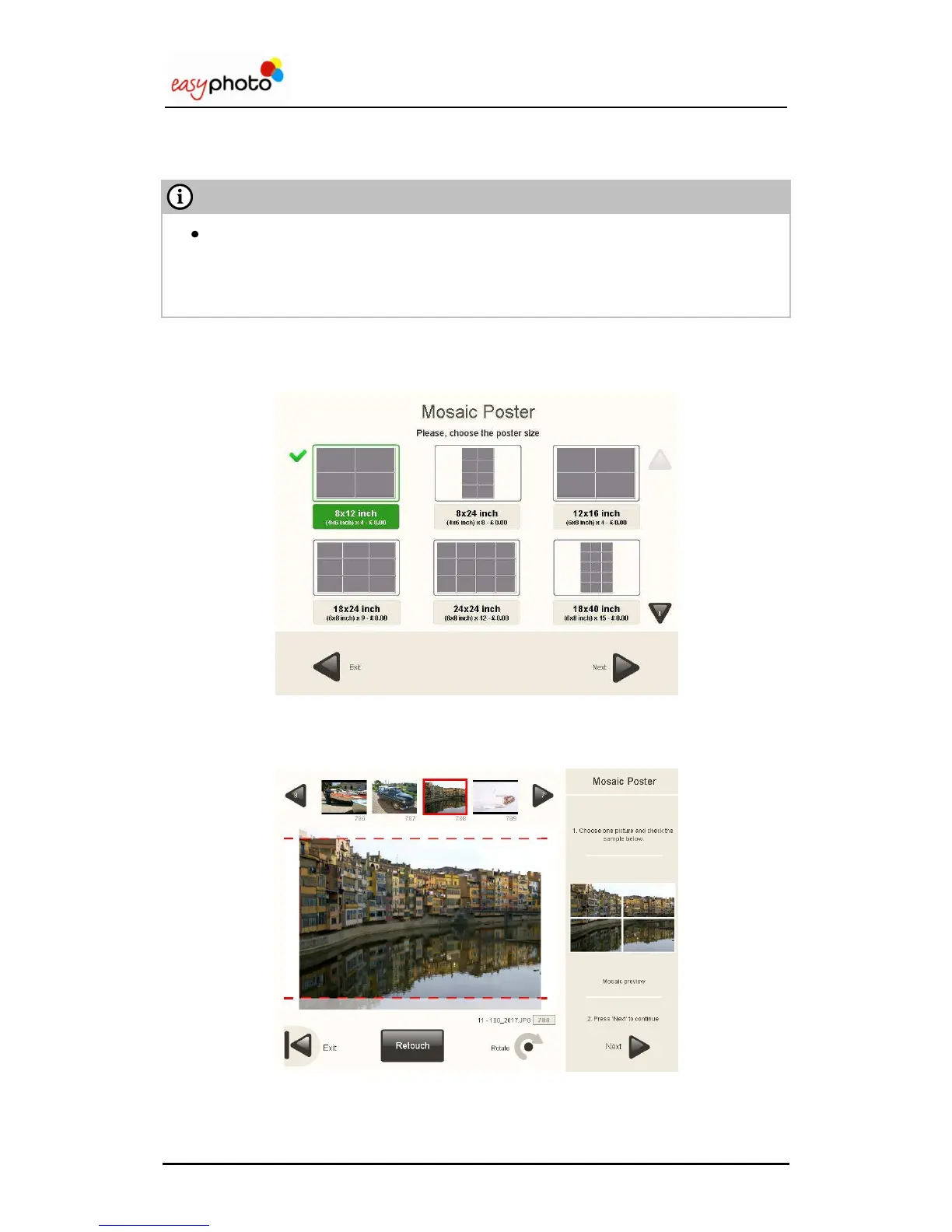
Once the “Mosaic Poster” button is pressed, the service is started.
Depending on the paper sizes configured there will appear different mosaic sizes.
After choosing the mosaic size, a picture browser appears just showing a preview of the mosaic
using the selected picture.


 To Next Page
 Loading...