Operator user‟s manual
65/78
4.2.4.6 Frames & Greetings.
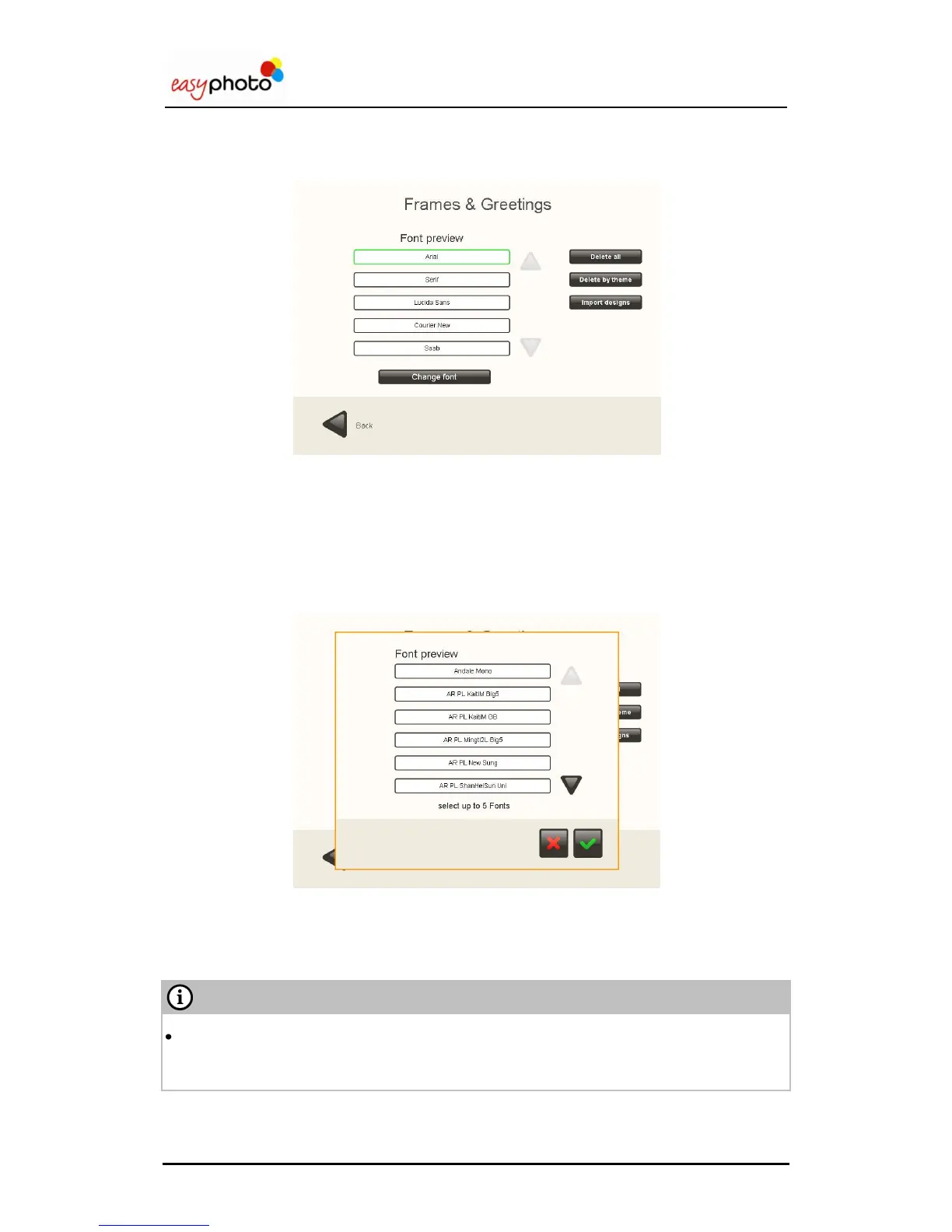
By configuring this service, depicted on the image below, it is possible to change the following
settings:
1. Delete All. This option allows deleting every frame&greeting design available in the system.
2. Delete by theme. This option allows deleting the frames&greetings selecting by theme.
3. Import designs. This option allows importing designs of frames&greetings.
4. Change font. There are five different text fonts selected by default. The final user will be
able to choose among these five text fonts. It‟s possible to change them by selecting the
one to replace and then click Change font. It will appear the picture shown below with a list
of available the fonts and there the desired font has to be chosen.
In order to import new designs it is needed to press „Import designs‟ and then follow the
same workflow as when importing calendars


 To Next Page
 Loading...