Operator user‟s manual
15/78
3.2.4 Bluetooth
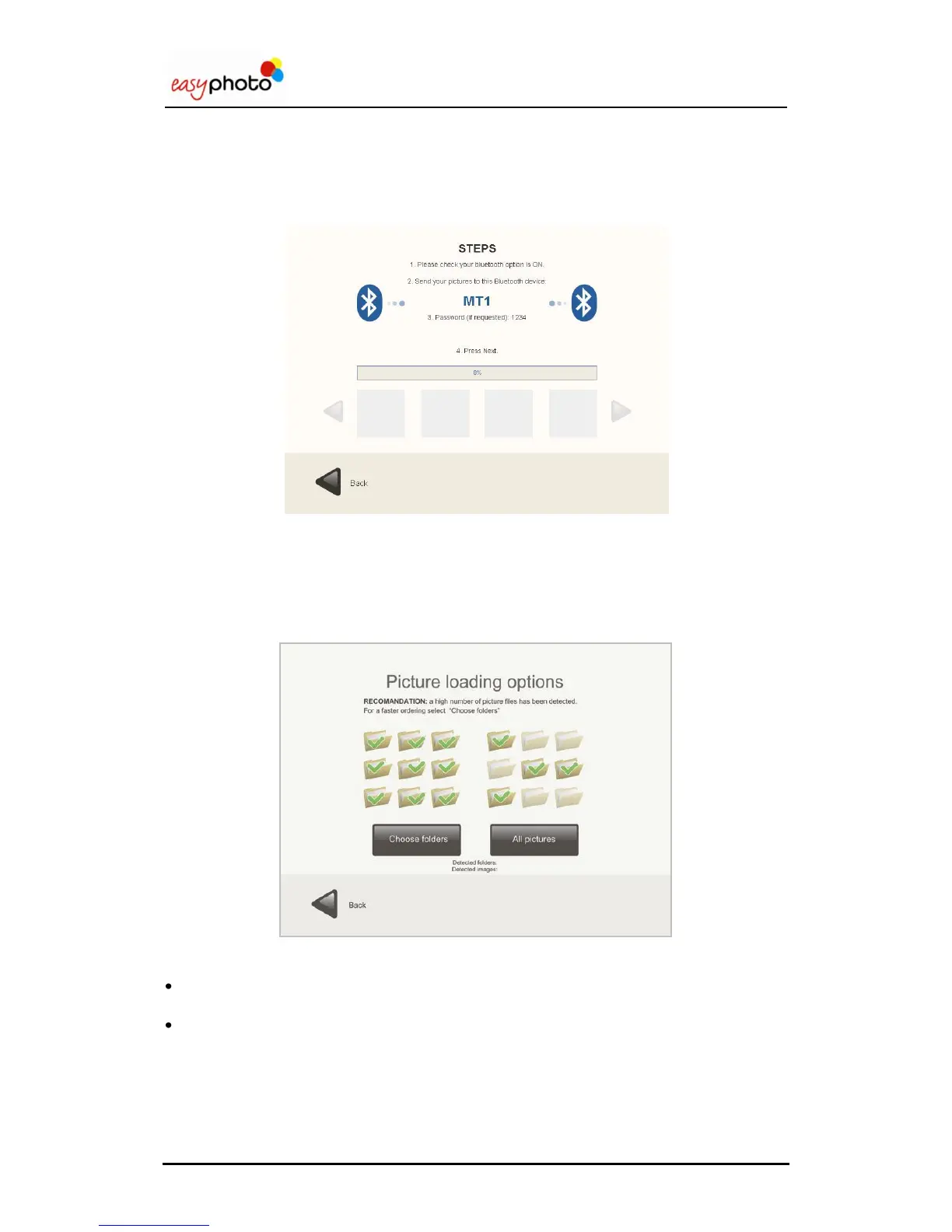
If your images are saved in a Bluetooth device:
1. Press the “Bluetooth” button.
The following screen appears, indicating how to transfer the images.
Transfer the images as indicated on the screen.
Press “Next”.
3.3 Selection of images: Picture loading options
Once the pictures from the source have been correctly detected, a new screen is displayed:
You can choose:
“Choose folders” to select the folders where you have the pictures that you want to use. This
option is useful to avoid spending too much time loading hundreds of pictures.
“All pictures” to select all the folders and images detected.
If “Choose folders” is selected, a new screen is displayed:


 To Next Page
 Loading...