EasyManua.ls Logo

Mitsubishi FREQROL-SF - Replacing Encoder and Printed Circuit Board

Mitsubishi FREQROL-SF
219 pages
Print Icon
To Next Page IconTo Next Page
To Previous Page IconTo Previous Page
Loading...
2.9.2
Replacing encoder and printed circuit board
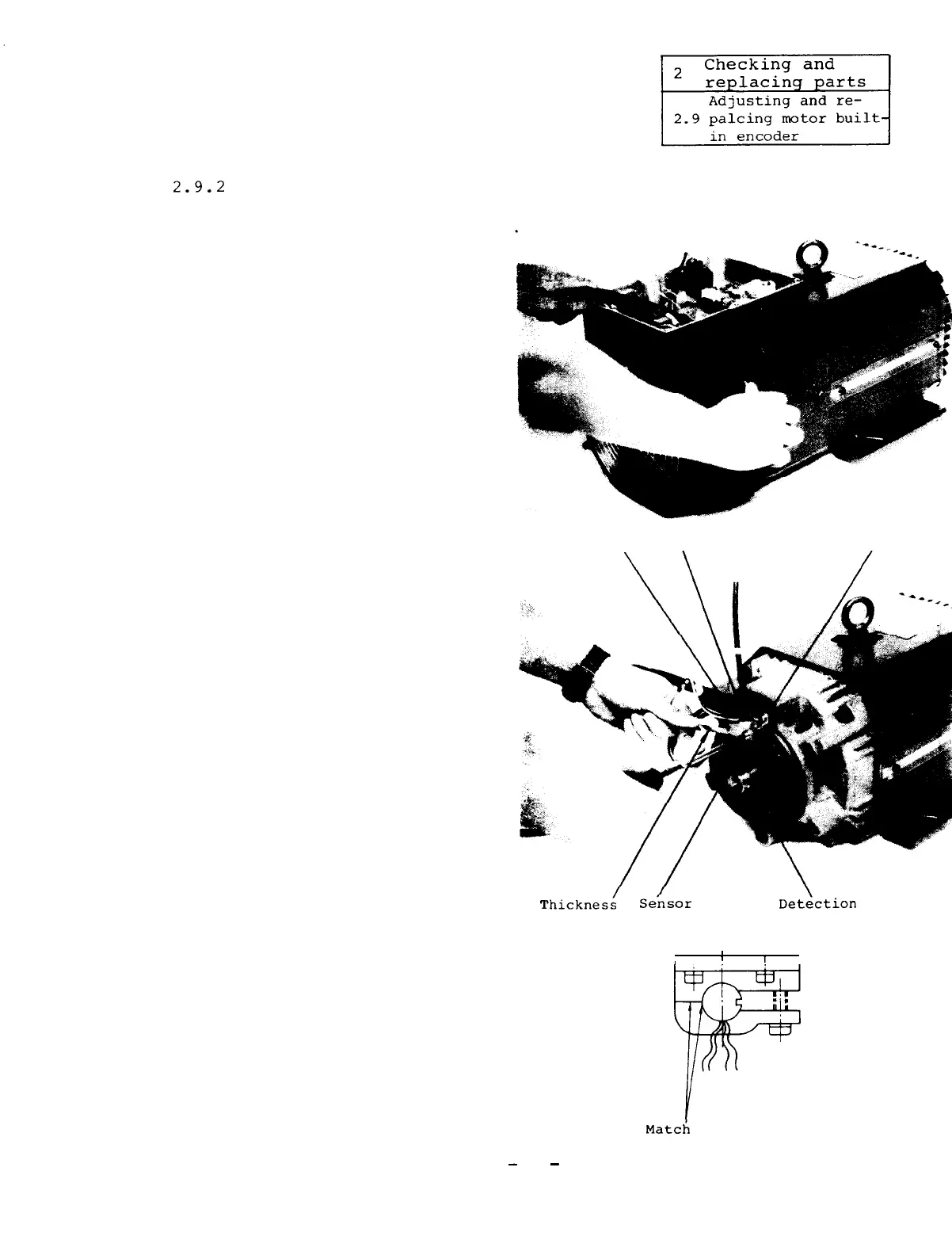
(1) Remove the connector of
the sensor from the
printed circuit board
in the terminal box.
(2) Remove the three hex.
socket bolts which
fasten the fan case
and pull the fan case
in the rear direction.
At the time, the fan
case with the cooling
fan can be dismounted.
(3) Remove the two P flat
head screws which
fasten the sensor fix-
ing plate to dismount
the mounting plate
with the sensor. At
the time,
take care
not to collide the
sensor with the
detection gear.
(4) To adjust the sensor
position,
loosen the
sensor mounting screw
while the sensor
mounting plate is
fastened and adjust
the gap between the
detection gear and
the sensor using a
thickness gauge (the
gap is marked on the
sensor mounting
plate).
At the time,
check that the sen-
sor's match mark
(marking-off lines)
matches that of the
mounting plate and
tighten the sensor
mounting screws.
(See the right-hand
figure.)
Mounting plate
Sensor mount-
Sensor
mounting screw
ing plate
Thicknes;
Se;lsor
mount-
Det&tion
gear
gauge
ing screw
Ii
!
1
Mat&
the match marks
(marking-off lines)
-
77
-

Table of Contents