Chapter Four: Operation How To Use the DVM O
tion
33
How To Use the DVM Option
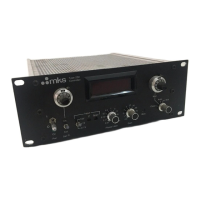
The 250 controller can optionally be supplied with a 4½ place DVM to display the controlled
parameter (pressure or flow). The display is from 0000 to 10000 and the decimal point can be
positioned at any convenient location with switches inside the controller.
To check the calibration of the DVM, input 0.000 Volts at the Input connector and adjust the
ZERO control on the front panel for a reading of 0000 on the DVM. Make sure the Range
switch (10V, 1V, 0.1V) is in the proper position. If the full scale input is greater than 1 Volt,
then the 10 V range must be used. Now apply full scale input voltage (typically 10 Volts or
5 Volts) and adjust the front panel SPAN control for a reading that corresponds to the full scale
of the transducer.
For example, a pressure transducer where 10V = 1 Torr, input 10.00 Volts and adjust the SPAN
for a reading of 10000. For a flow transducer where 5V = 200 sccm, input 5.00 Volts and adjust
the SPAN for 2000 (the set point pot is useable only over the lower 20%).
To select the decimal point, remove the top cover and locate the decimal point switch on the
main P.C. board (labeled S7) near the power transformer. The switch is labeled for decimal point
locations; only one should be ON at a time.
How To Use the Proportional Gain
In some unusual control applications, the two front panel controls GAIN and PHASE LEAD may
not provide enough adjustment to tune the control loop. A typical application is where the
feedback input is ion beam current rather than pressure or flow. In these applications, the
PROPORTIONAL GAIN control
inside
the controller may provide enough additional control
range to stabilize the loop.
The PROPORTIONAL GAIN control (R69) is a 25-turn trim pot on the right side as you look at
the front panel about half-way back on the main P.C. board. To try this control, turn it about 10
turns clockwise and then tune the front panel controls (refer to
How To Tune-Up the Controller,
page 30). If this improves the loop stability and additional adjustment is desired, turn the
PROPORTIONAL GAIN control several turns in each direction. The PROPORTIONAL GAIN
control is very fine so several turns can be made without overcontrolling.


 To Next Page