Mobileye 6 Technical Installation Guide_Rev0.3
Mobileye Proprietary and Confidential
support@mobileye.com
Up/Down Configuration Instructions
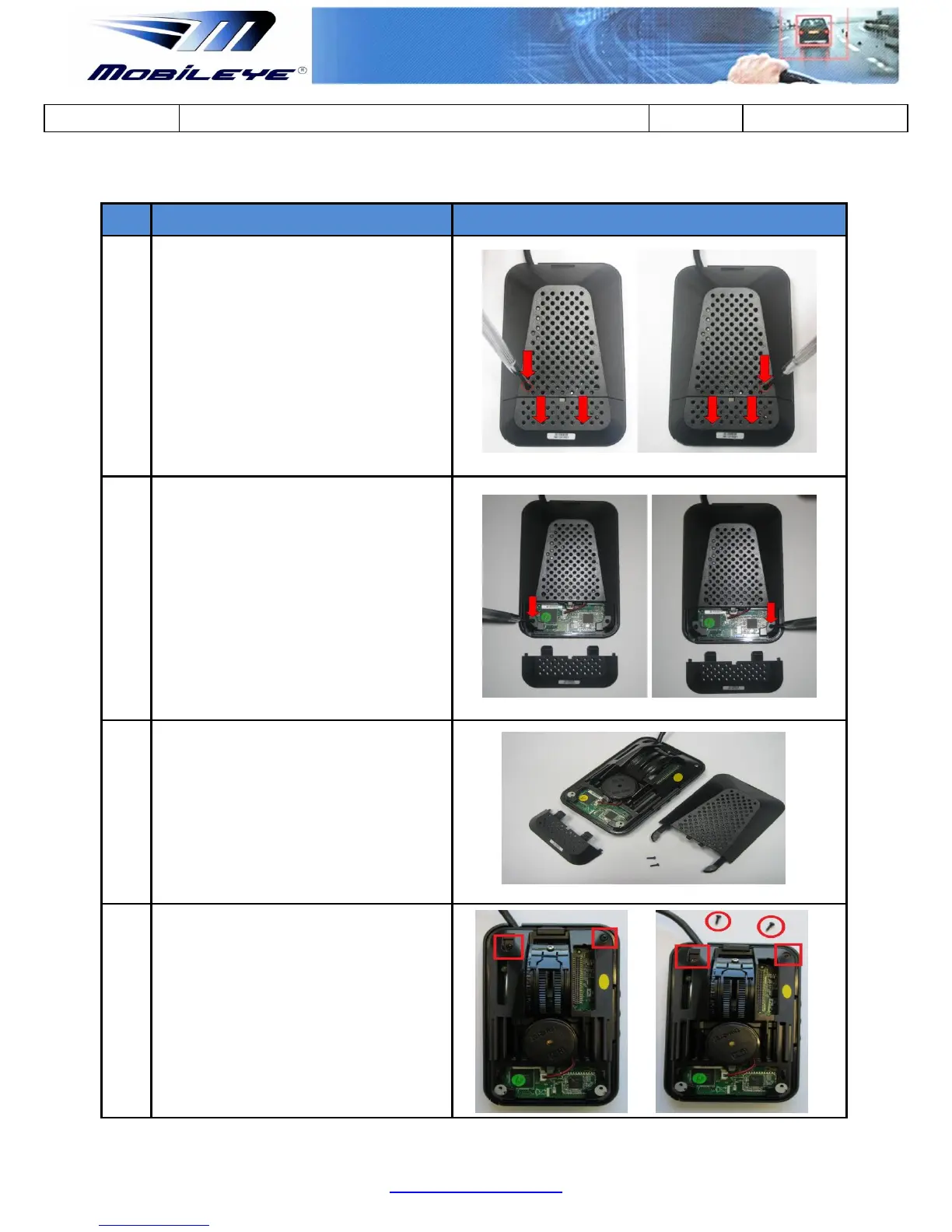
Remove the Main Unit Back Covers by
inserting a small screw-driver at the
slightly larger circles at the right and Left
ends of the lower part of the Mobileye 6
Main Unit Back Cover and press the
bracket to release.
Once the 2 Brackets on the Left and Right
side have been released pull the Lower
Back Cover downwards and remove
completely.
Then Un-screw the 2 small screws on the
Left and Right sides to remove the Upper
Back Cover.
Upper cover is removed completely
Remove the additional two screws shown
in the Red boxes to remove the Main unit
out of the mounting frame



 To Next Page