Mobileye 6 Technical Installation Guide_Rev0.3
Mobileye Proprietary and Confidential
support@mobileye.com
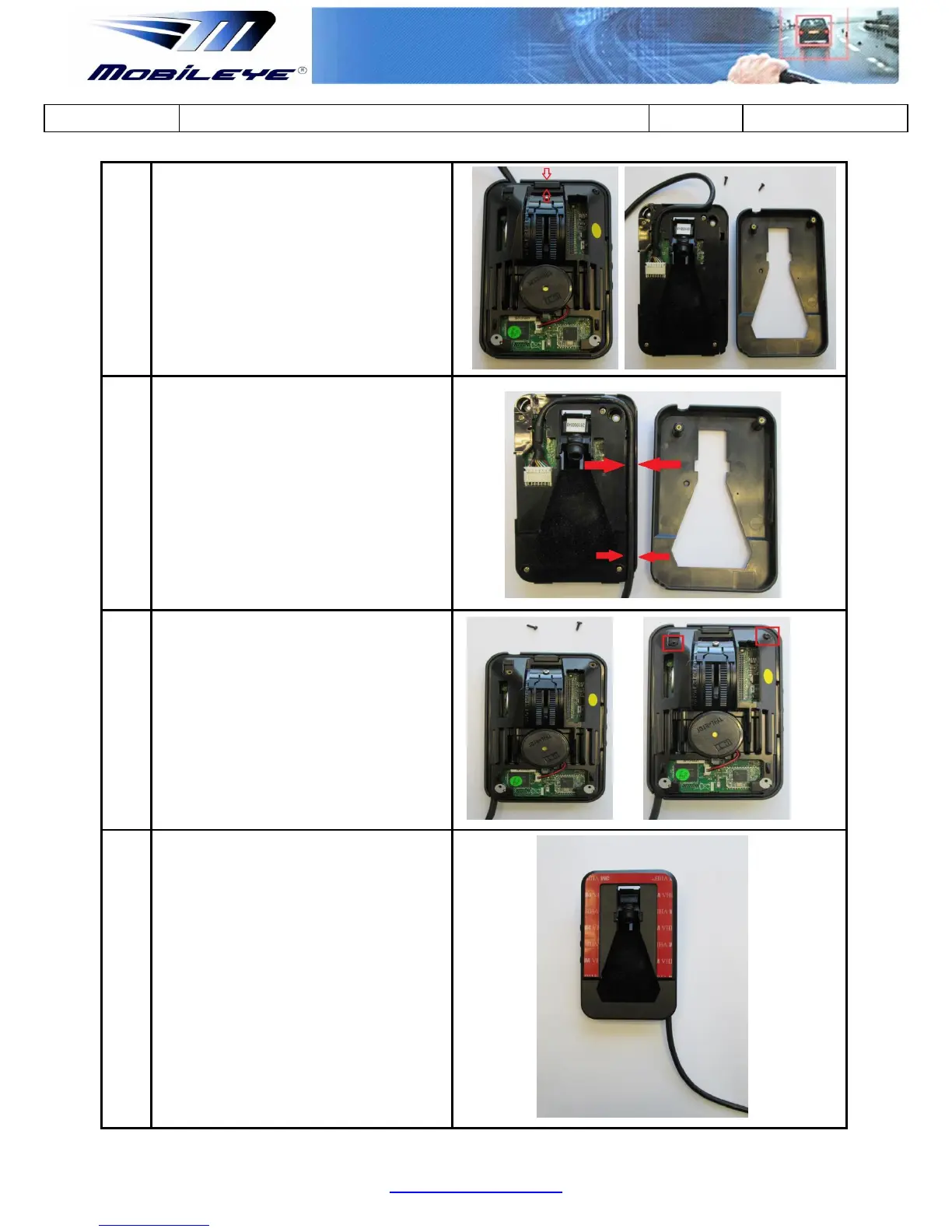
Press the small clip above the Camera
Railing and remove the Main unit out of
the mounting frame.
To Configure the system to Camera Down
mode simply route the cable along the
side canal.
Do not disconnect the camera cable
connector
Return the Main unit in to the mounting
frame and screw-in the 2 screws to
complete the attachment.
Make sure the side buttons are attached to
the mounting frame side before returning the
main unit.
Return the Main Unit Back Covers (in
reverse to steps 2 and 1 above) to
complete the configuration.



 To Next Page