5.
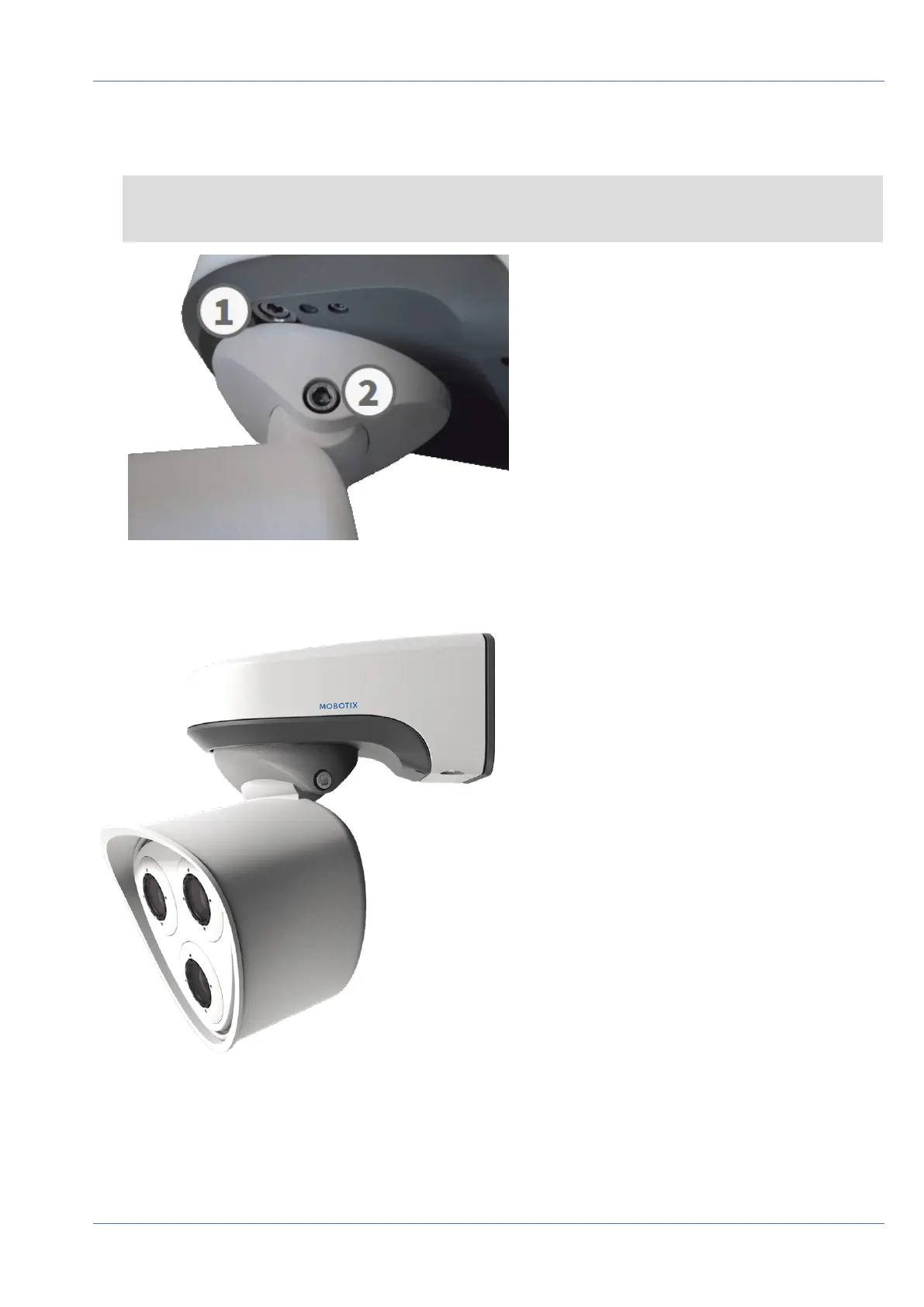
Fixate the camera by tightening the two Allen screws (① , panning) and the two Allen screws (② , tilting)
of the center pivot.
NOTE! To properly point the camera into the desired direction of view, read the section Adjusting the
Camera.
Fig. 72: Fastening the Camera
6.
Press the two covers M.15 onto the two Allen screws (② , upper figure) of the center pivot.
Fig. 73: Properly installed MOBOTIX M73
Mounting
Finishing the Installation of the Camera
86 / 110



 To Next Page