Operating the Camera
Network Settings
Windows
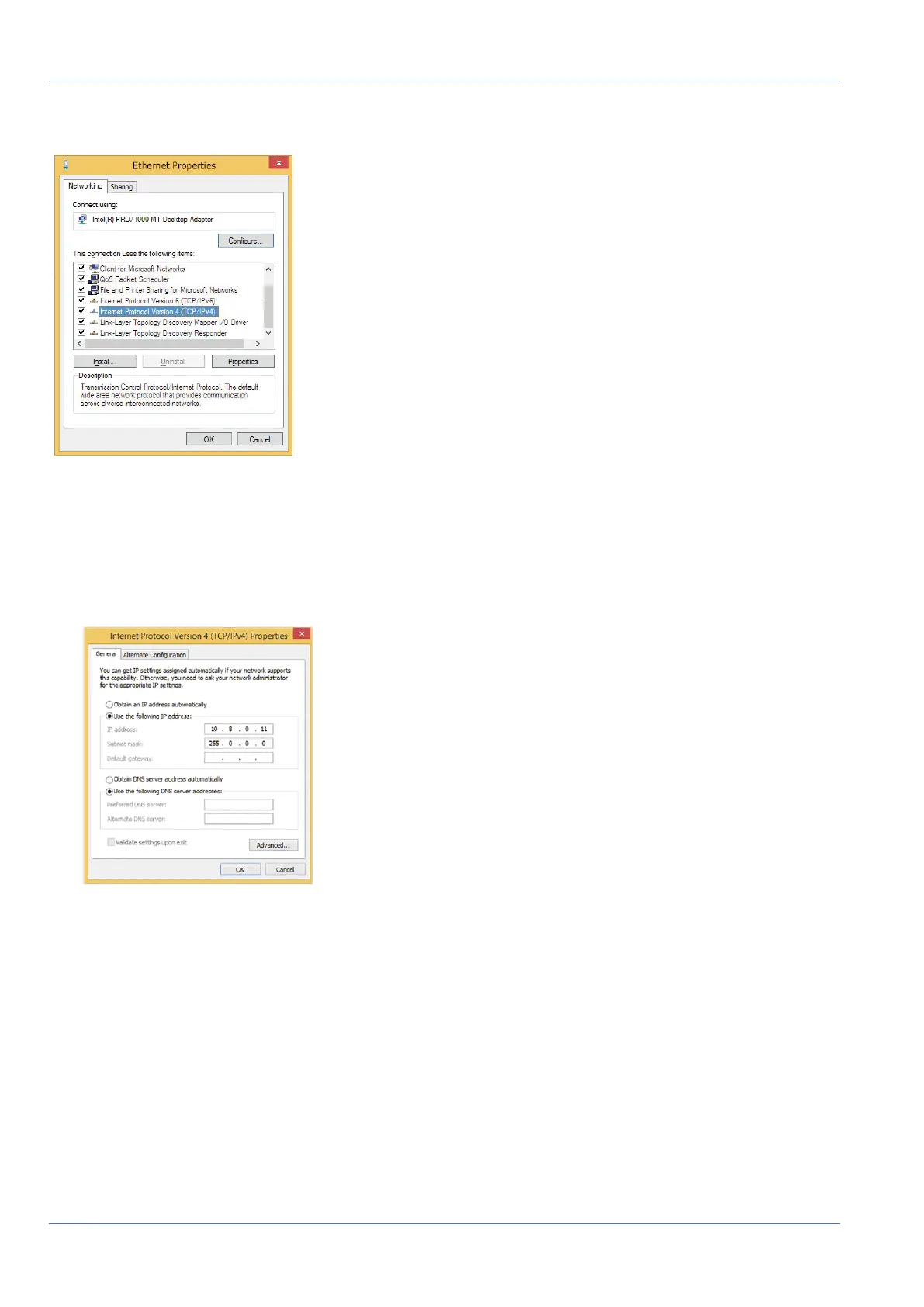
Fig. 75: Network settings on Windows machines
1. Open the Windows Control Panel> Network and Internet> Network and Sharing Center> Change
Adapter Settings> Ethernet.
2. Right-click on the relevant network adapter and select Properties.
3. Open the properties of Internet Protocol Version 4 (TCP/IPv4).
Fig. 76: Properties of Internet Protocol V4
4. Activate Use the following IP-address. Enter an IP address in the 10.x.x.x range in this field (e.g.
10.16.0.11).
5. Click on OK to apply the settings.
Linux/Unix
1. Open a terminal as root user.
2. Enter the following command: ifconfig eth0:1 10.16.0.11.
3. The computer now has the additional IP address 10.16.0.11.
93 / 110



 To Next Page