79
Virtual PTZ and Full Image Recording
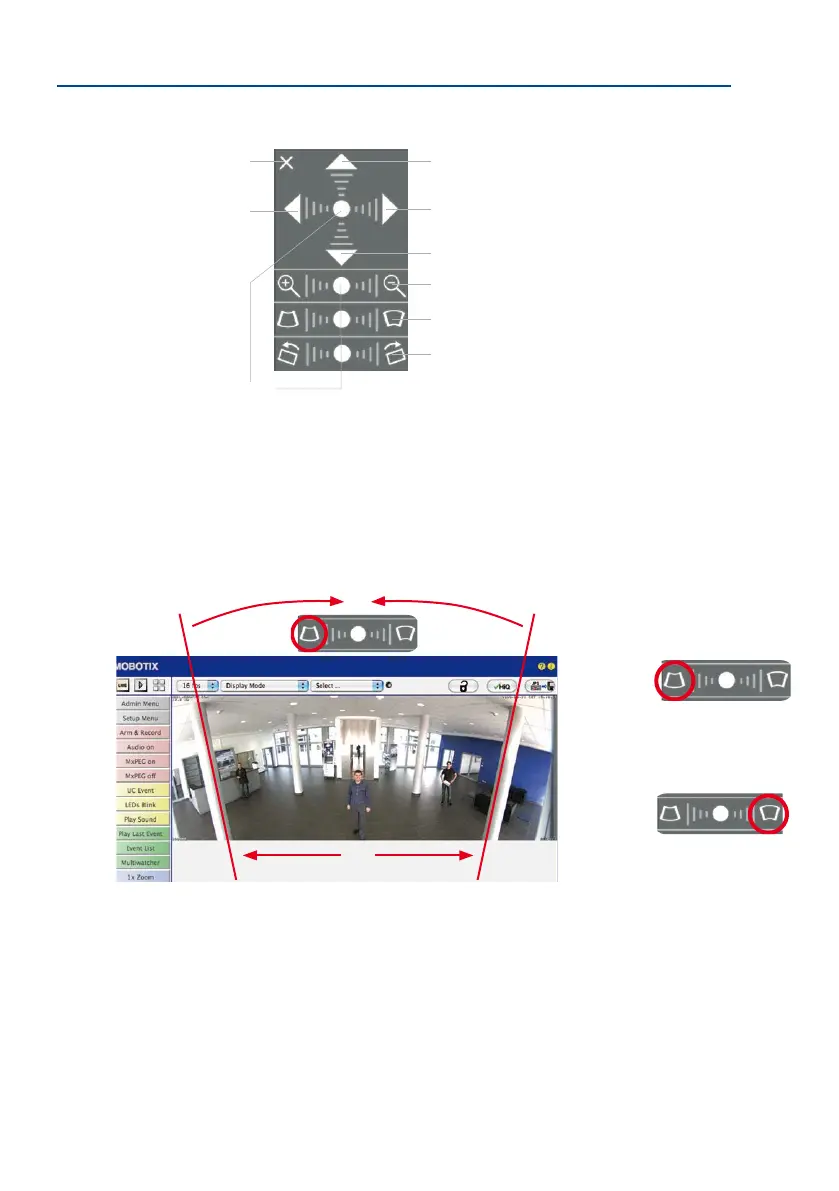
Functions of the M26 OnScreen Control
To use the OnScreen Control, click on the arrows in the top area for shiing the image
section. In the bottom areas, which are displayed when needed, click to the le and/or
right of the center point.
The same applies for every area: The further away that you click from an area’s center
point, the greater the change triggered. To reset an area, click on its center point again.
During panorama correction, clicking between the two trapezoid symbols straightens the
le or right tilting lines, which are best visible at the edges of the image section.
Image tilt correction
Panorama correction
Zoom
Tilt down
Pan to the right
Tilt up
Default setting
Close
Pan to the le
Depending on the mounting
position (ceiling, wall, oor),
panorama correction and
mounting error correction
may not be available!
Bring columns together at
the
top
(necessary to correct
the example on the le)
Bring columns together
at the
bottom



 To Next Page