144
Q26 Camera Manual: Operating the Camera
Electrical surges: MOBOTIX cameras are protected against the eects of small electrical
surges by numerous measures. These measures, however, cannot prevent the camera from
being damaged when stronger electrical surges occur. Special care should be taken when
installing the camera outside of buildings to ensure proper protection against lightning,
since this also protects the building and the whole network infrastructure.
Max. power consumption of attached extension modules: The power consumption of all
attached
MxBus modules
must
not exceed 2.5 W
. When attaching modules to the MxBus
connector
and
the USB socket, the
power consumption of all attached modules must
not exceed 3 W
,
if the camera is powered by PoE class 3
. If
PoE class 2
is used,
the power
consumption of all attached modules must not exceed 1 W!
Never touch the lens: Due to the high performance of the Q26, the area of the image sensor
can get quite hot, especially when the ambient temperature is also high. This does not aect
the proper functioning of the camera in any way. For this reason, the product must not be
installed within the reach of persons.
Powerobeforeopeningthecamera: Make sure the power supply is disconnected before
opening the camera (i.e., for installing or replacing sensor modules and SD cards).
Network security: MOBOTIX products include all of the necessary conguration options for
operation in Ethernet networks in compliance with data protection laws. The operator is
responsible for the data protection concept across the entire system. The basic settings
required to prevent misuse can be congured in the soware and are password-protected.
This prevents unauthorized parties from accessing these settings.
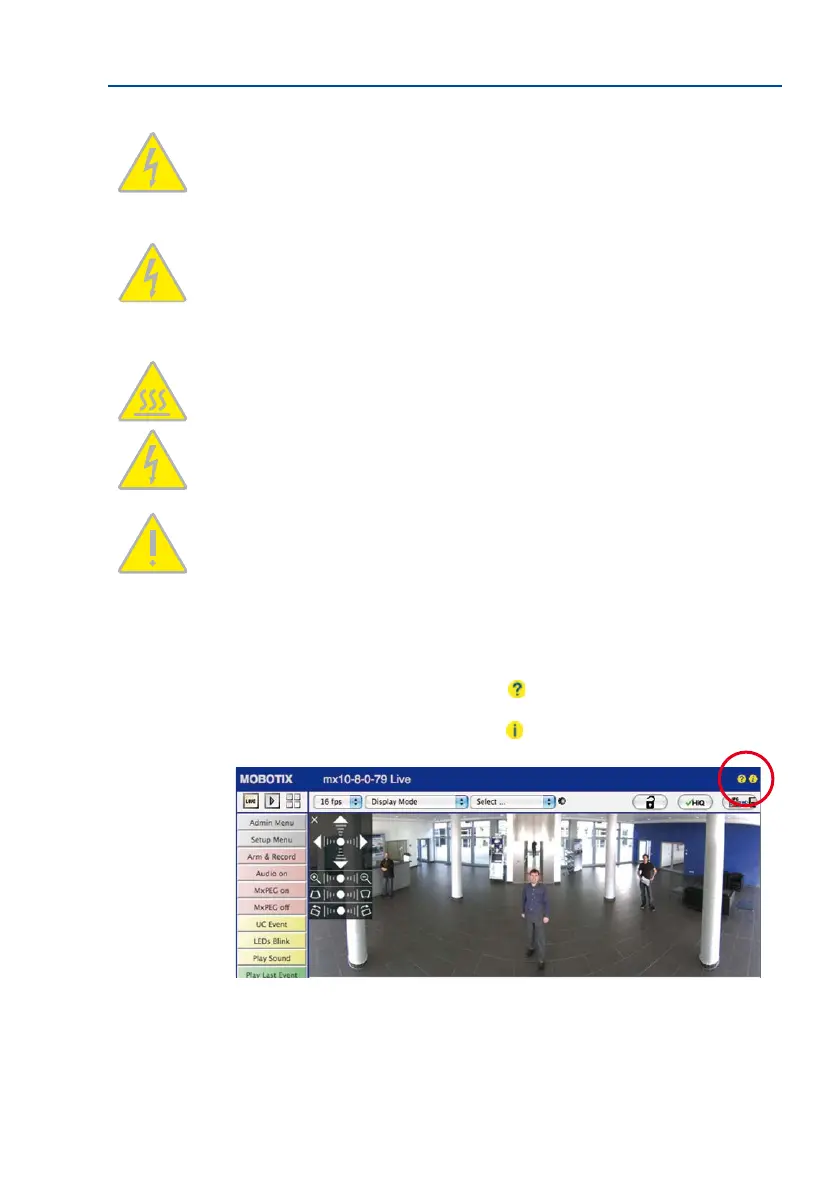
3.6.12 Online Help in the Browser
For more information, see the News and Functional Overview pages in the online help of
the camera’s browser interface. Click on the
icon to open the camera’s online help.
Furthermore, detailed information on the camera and its current conguration is displayed
in the Camera Status dialog box. Click on the
icon to open the relevant page.
3.6.13 Declaration of Conformity
The products of MOBOTIX AG are certied according to the applicable directives of the E.U. and
other countries. You can nd the declarations of conformity of the products of MOBOTIX AG



 To Next Page