APPENDIX C – MAINTENANCE
70
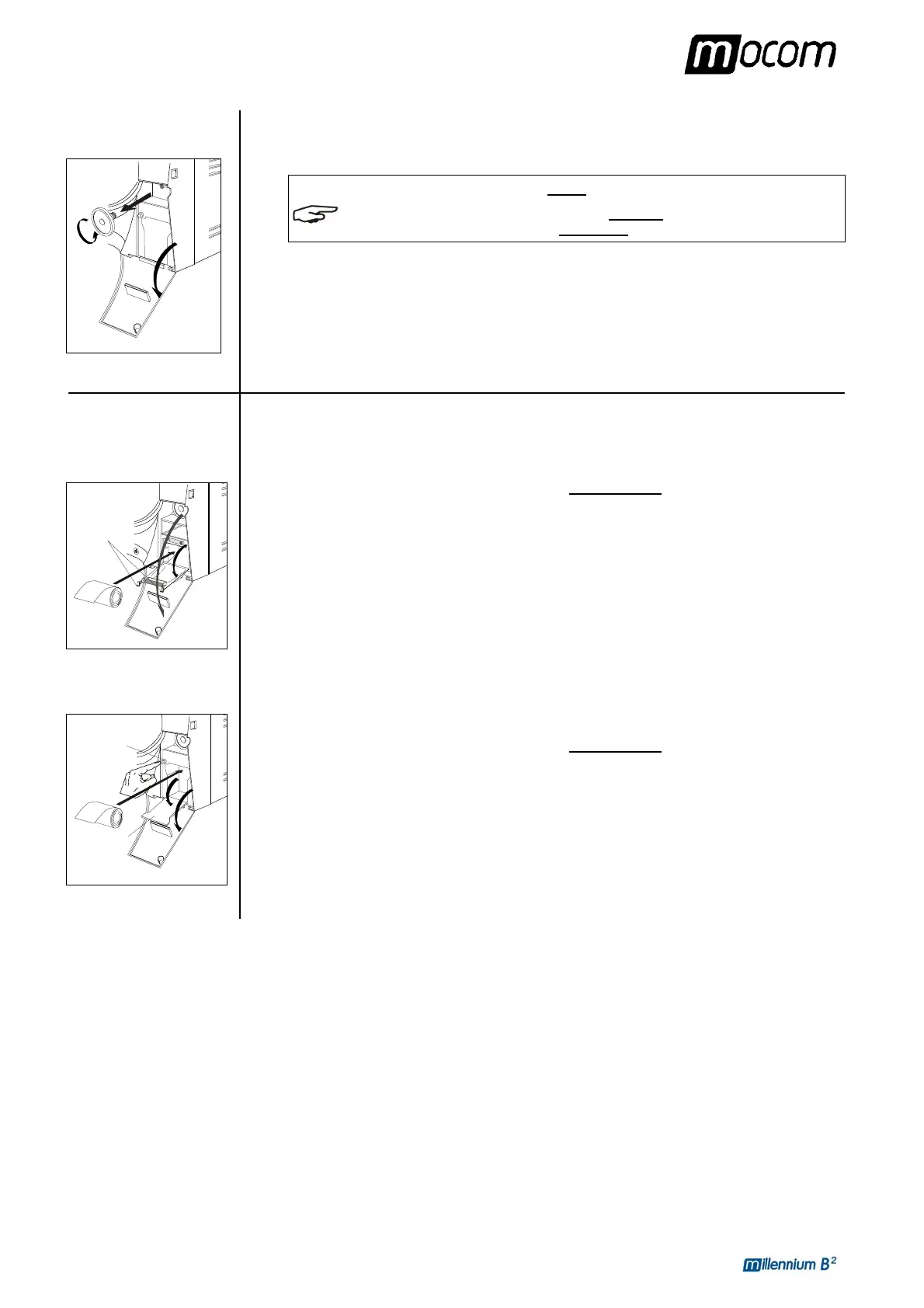
Replace bacteriological
filter
Replacing the paper in
the printer
Printer type 1
1
2
Printer type 2
2
3
When it is due to be changed, or when you notice visible clogging of the filter (indicated by a
color markedly tending towards gray) unscrew the bacteriological filter from its support and
replace it with a new one by screwing it all the way down on the connector on the front of the
machine.
NOTE
A REPLACEMENT BACTERIOLOGICAL FILTER IS SUPPLIED WITH THE DEVICE. TO
REQUEST OTHERS
, PLEASE REFER TO APPENDIX Z, TECHNICAL SUPPORT.
To replace a used-up roll of paper in the printer:
1. open the door (1) of the service compartment to access the printer,
2. push the tongues (2) to open the printer door and access the paper compartment,
3. remove the empty roll and place a new roll of thermal paper
so that the paper unrolls off
the top;
the roll must have the following dimensions:
- width 57 mm / diameter max 45 mm
4. unroll about 15 cm of paper and close the compartment door,
5. thread the paper in the slot of door of the service compartment and reclose.
1. open the door (1) of the service compartment to access the printer,
2. push the button (2) on the left to open the printer door (3) and access the paper
compartment,
3. remove the empty roll and place a new roll of thermal paper
so that the paper unrolls off
the top;
the roll must have the following dimensions:
- width 57 mm / diameter max 45 mm
4. unroll about 15 cm of paper and close the compartment door (the paper will automatically
advance outside the window for several centimeters),
5. thread the paper in the slot of door of the service compartment and reclose.



 To Next Page