6.10 Rename an Existing Tool
A tool does not have to be loaded to be renamed.
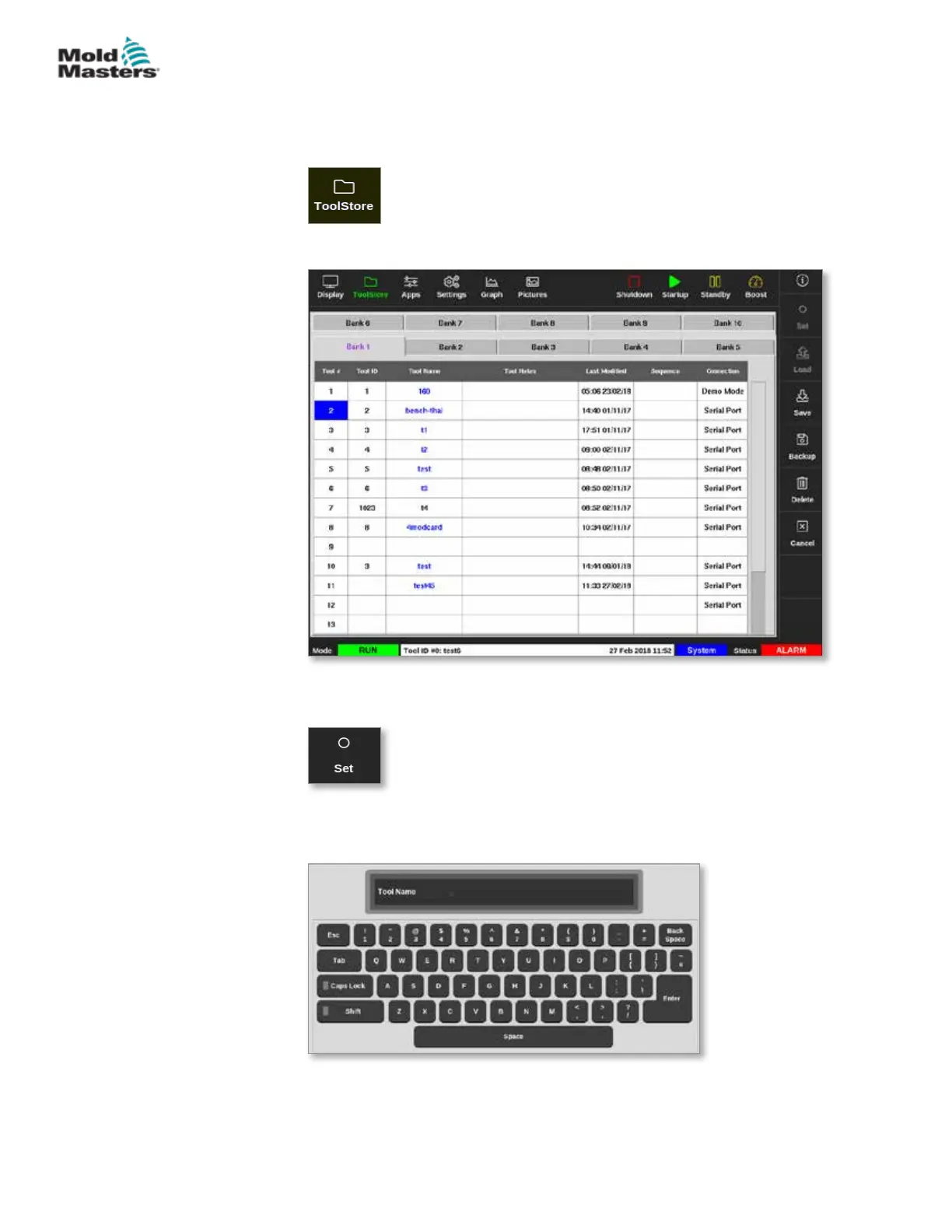
1. Choose [ToolStore]:
2. Choose the tool to be renamed. See Figure 6-12.
Figure 6-12 Choose the tool to rename
3. Choose [Set]:
4. Enter password, if required.
A keyboard opens:
5. Enter the new tool name.
6. Choose [Enter].
The tool name changes in the tool bank.
6-20
© 2021 Mold-Masters (2007) Limited. All Rights Reserved.
OPERATION
M2+ Controller User Manual



 To Next Page