4.11 User Interface
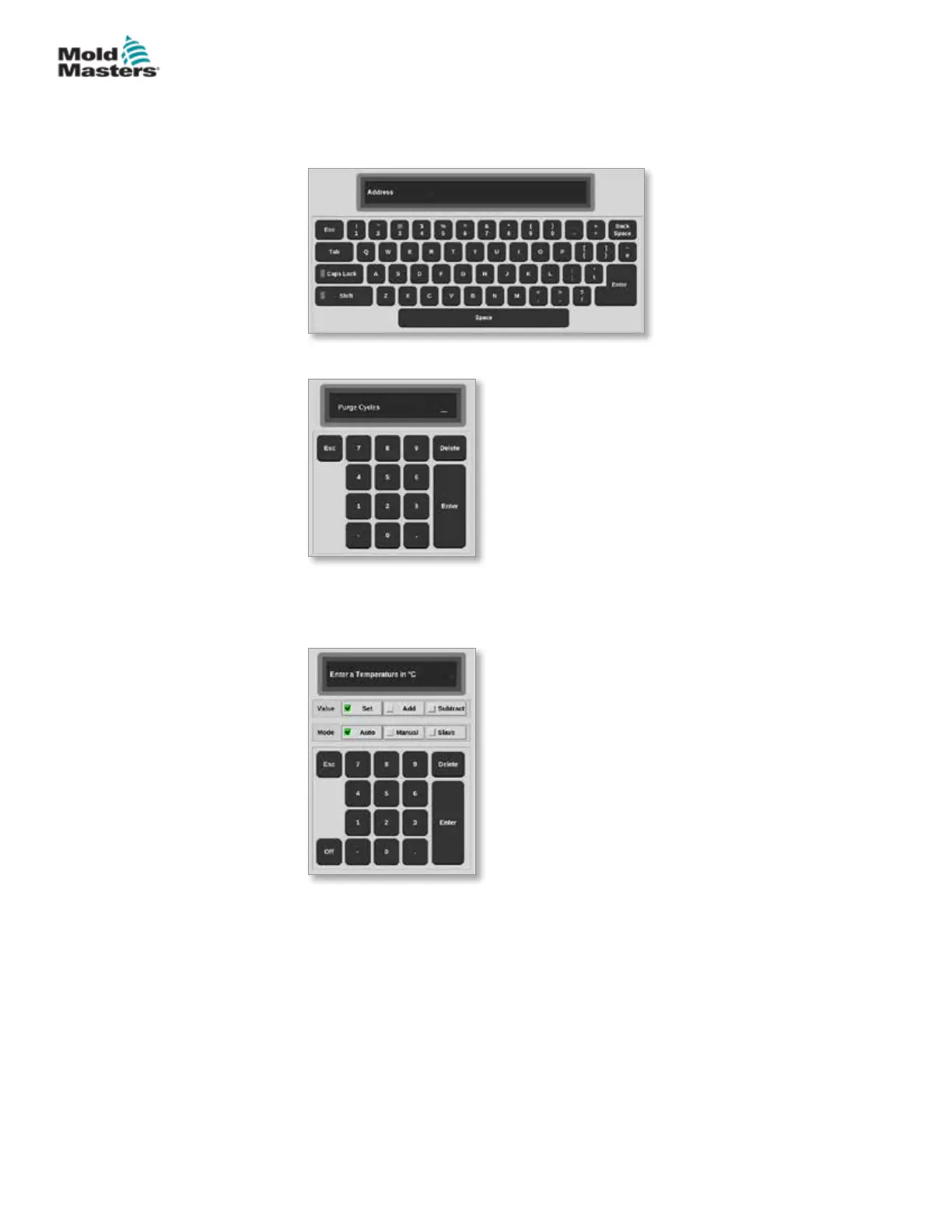
Users are presented with a keyboard or keypad for entering values.
Keyboard: for alphanumeric input
Keypad 1: for basic numeric input
Keypad 2: an extended keyboard which adds:
• Value keys - Set, Add, Subtract for temperature
• Mode keys - Auto, Manual and Slave for working modes
4.12 Screensaver
The screen light turns o the backlight after ve minutes of inactivity.
Touch the screen anywhere to restore light to the screen.
4-17
© 2021 Mold-Masters (2007) Limited. All Rights Reserved.
OVERVIEW
M2+ Controller User Manual


 To Next Page