NOTE
Removing a function from a particular user level does not remove it from
any other user.
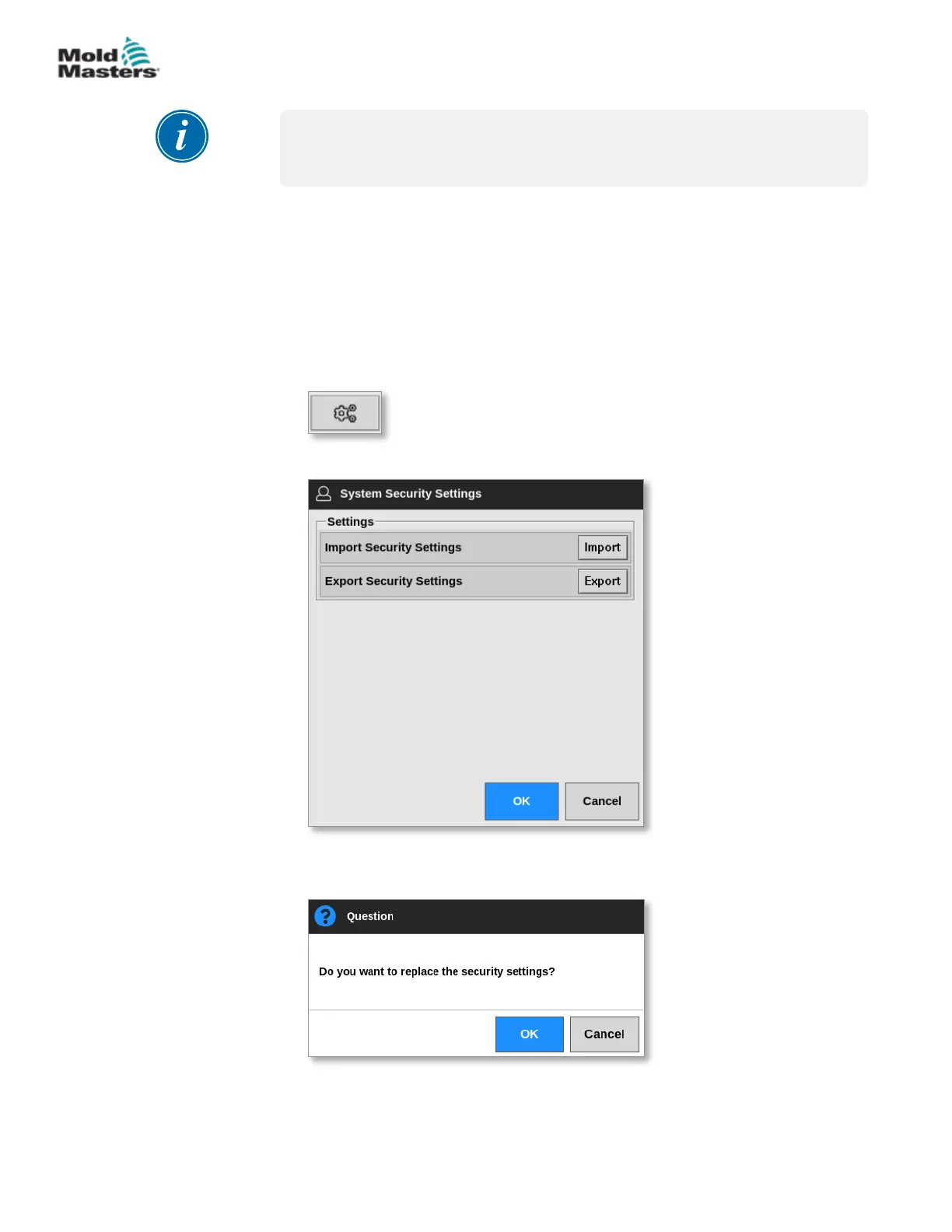
7.2.3 Import System Security Settings
Security settings can be imported to the M2 Plus controller with a USB
memory stick.
1. Insert the USB memory stick with the security settings data into the
console and wait about 10 seconds.
From the User Access screen,
2. Choose [Cong]:
The System Security Settings box opens:
3. Choose [Import] to import user security settings.
A message box opens:
4. Choose [OK] to import settings or choose [Cancel] to return to the
System Security Settings box.
Remove a Function from a User - continued
7-4
© 2021 Mold-Masters (2007) Limited. All Rights Reserved.
USER ACCESS AND NETWORKING
M2+ Controller User Manual



 To Next Page