IP67 IO-Link Modules for EtherNet/IP
a. Data Storage initialization
Out of the Box, the HarshIO module is empty with no IO-Link Device DS File.
Several methods can be used to upload a DS File into one IO-Link Master Port:
- Automatic: At first connection with an IO-Link Device, the module will upload (backup) the parameters
of the IO-Link device (regardless of the configured Data Storage mode).
- Manual: IO-Link Configuration tool can be used to load the DS file to the HarshIO IO-Link Master
module.
- Programmed via PLC: The IO-Link Device DS File is mapped as CIP object. The EtherNet/IP scanner
can handle this file via Explicit CIP messages. Refer to chapter File Object (0x37) and IO-Link Object
(0x310)
Note!
The data Storage file is associated to a Vendor and Device ID. In case at least one of
these IDs are modified by the user in the EIP config file, the IO-Link Master Port will
automatically clear the corresponding DS File to start the initialization process with the
new device.
b. Data Storage at IO-Link connection
During the IO-Link connection, after the identification (ID validation) of the sensor has been successful, the
parameter consistency is checked between Device and Master. In case of inconsistency, the Data Storage
applies its configured strategy:
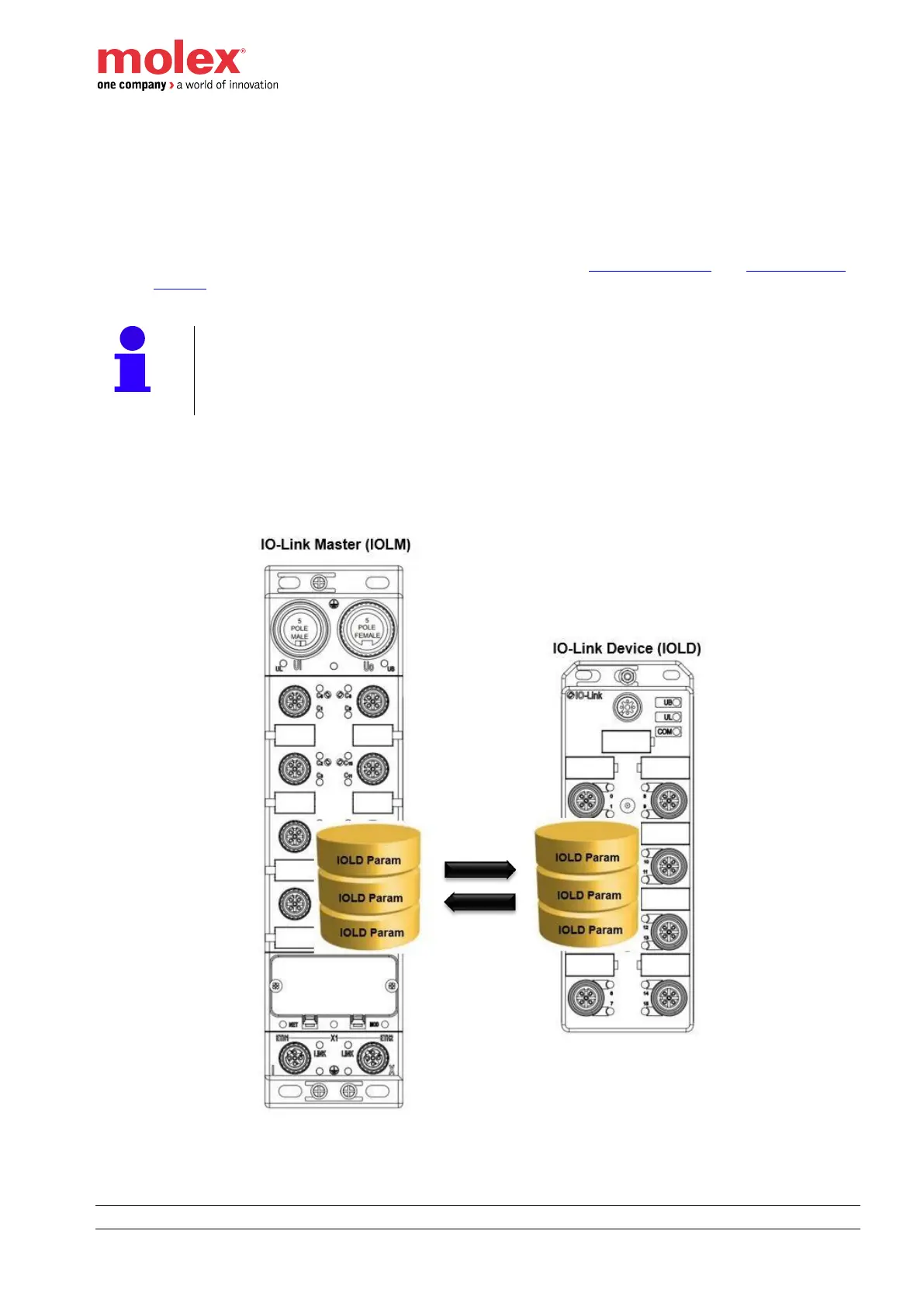
IOLD Param : parameter data of the IO-Link device


 To Next Page