IP67 IO-Link Modules for EtherNet/IP
9. Getting started
Packaging content
Each product packaging includes:
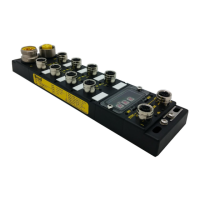
• 1x HarshIO 600 EtherNet/IP IO-Link Master module
• 9 x plastic labels (for digital channel labeling)
• 4 x M12 male closure caps (for sealing unused ports)
• Flyer
Out of box settings
IP address: DHCP
Subnet mask: 0.0.0.0
Gateway: 0.0.0.0
ETH1 port: Auto negotiation + Auto-MDI
ETH2 port: Auto negotiation + Auto-MDI
ACD Enabled
Connection instructions
1. I/O wiring
Wire the inputs and/or outputs devices according to the drawings of chapter I/O connectors by using
M12/Ultra-Lock (A-code) connectors.
2. Power wiring
• Connect 24 VDC power supply to the Power connectors (to both UL and UB) of the HarshIO
module.
• If several HarshIO modules are used in daisy-chain, the outgoing Power connector (Uo) of the first
module with the incoming Power connector (Ui) of the next one.
3. Communication wiring
• Connect the first HarshIO module to the EtherNet/IP scanner with the appropriate Ethernet
network cable and the desired topology


 To Next Page