4 • 158
2004 • LaPalma
Appliances
Tips
• Cool items first, if possible, before putting them into the
refrigerator.
• Keep the doors shut. Know what you want before opening the doors.
• Allow the refrigerator 24 hours of operation before actual use to
help get a "head start" with the refrigeration process.
• A box of open baking soda will help absorb food odors.
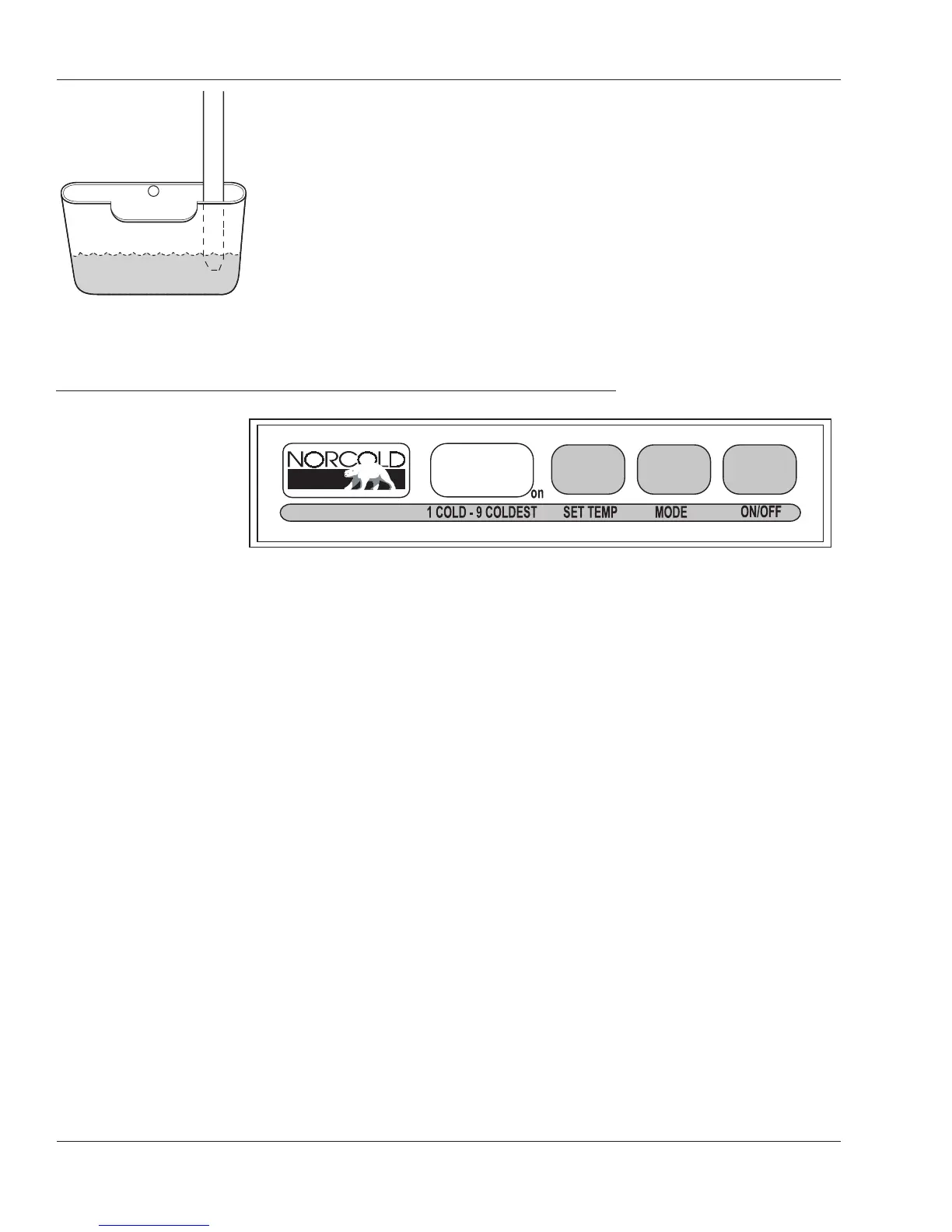
• Refrigerator icing can be slowed in high humidity if the end of
the drain tube is submersed in drip pan.
• ON/OFF Button
- Turns the refrigerator on or off.
- Push the ON/OFF button to start the refrigerator in Auto mode.
- Push and hold the ON/OFF button for two seconds to shut it off.
• LED Display - This screen is used for mode, temperature and
fault code display.
• MODE Button - Controls the operation mode of the refrigerator.
- Push and hold the MODE button to select between Automatic
AU, AC or LP operation.
• TEMP SET Button - Adjusts the temperature.
- To adjust push and hold the TEMP SET button.
- Number "9" is the coldest setting.
Manual Mode:
When one of the two manual modes is selected:
1. AC = The refrigerator is operating on AC electric.
2. LP = The refrigerator is operating on LP-Gas.
The Refrigerator Control Panel requires 12 Volt DC to operate.
030864
Control Panel
- Four Door
(Optional)
Located behind the outside
access.
030987





 To Next Page