User Manual
25
Considering a system safety feature you can
click [Menu Lock] menu to lock menu when leaving
the DVR shown as Picture 5-44(a). If you want to
login in the DVR again, you would input device
code and password shown as Picture 5-44 (b).
Explanation: Common user only has the
authority to search records, but Administrator
has full authority over Main Menu operations.
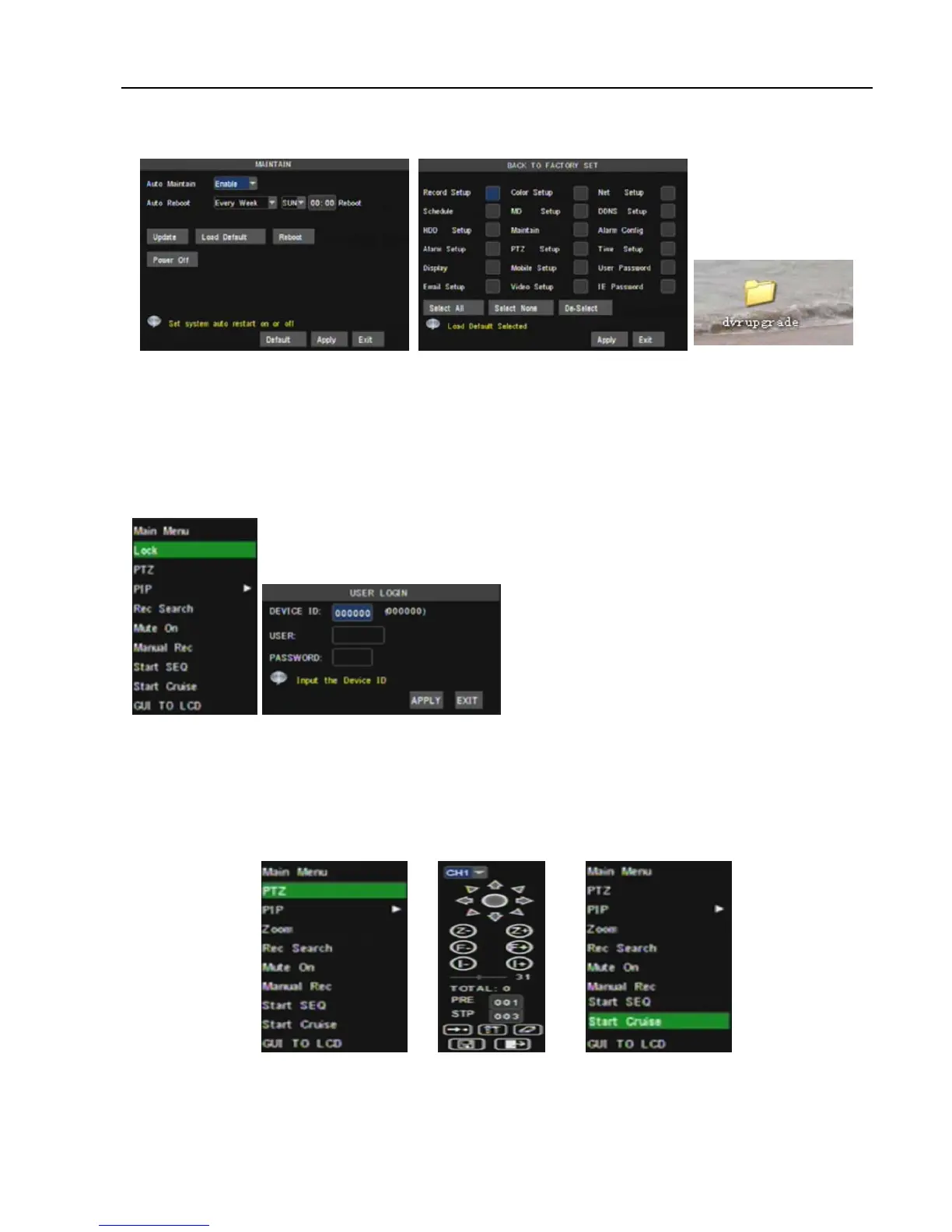
Picture 5-46(b).
Reboot: Click the [Reboot] button to restart the device manually.
Power off: the button allows you cut the power after making sure the DVR shutdown.
Note:
1. Please obtain the updated program from local supplier before system updating.
2. Please not cut power and unplug U flash disk during the update.
3. System will automatically restart after finishing system update.
4. User needs to manually recover the ex-factory default setting after restarting.
5.4 Menu Lock
5.5 Record search
You could enter into [Record Search] menu via Pop-up menu conveniently and quickly and
search/playback the record histories. We introduced Record search details previously in section 5.2.4.
5.6 PTZ Control
Open auto cruise function on PTZ setting menu if you want to setup cruise function (system default: on),
and set up cruise channel, cur point and total quantity and stop time etc.
Channel: select one channel with PTZ camera
Picture 5-47Picture 5-46(a) Picture 5-46(b)
Picture 5-48(a)
Picture 5-48



 To Next Page