User Manual
31
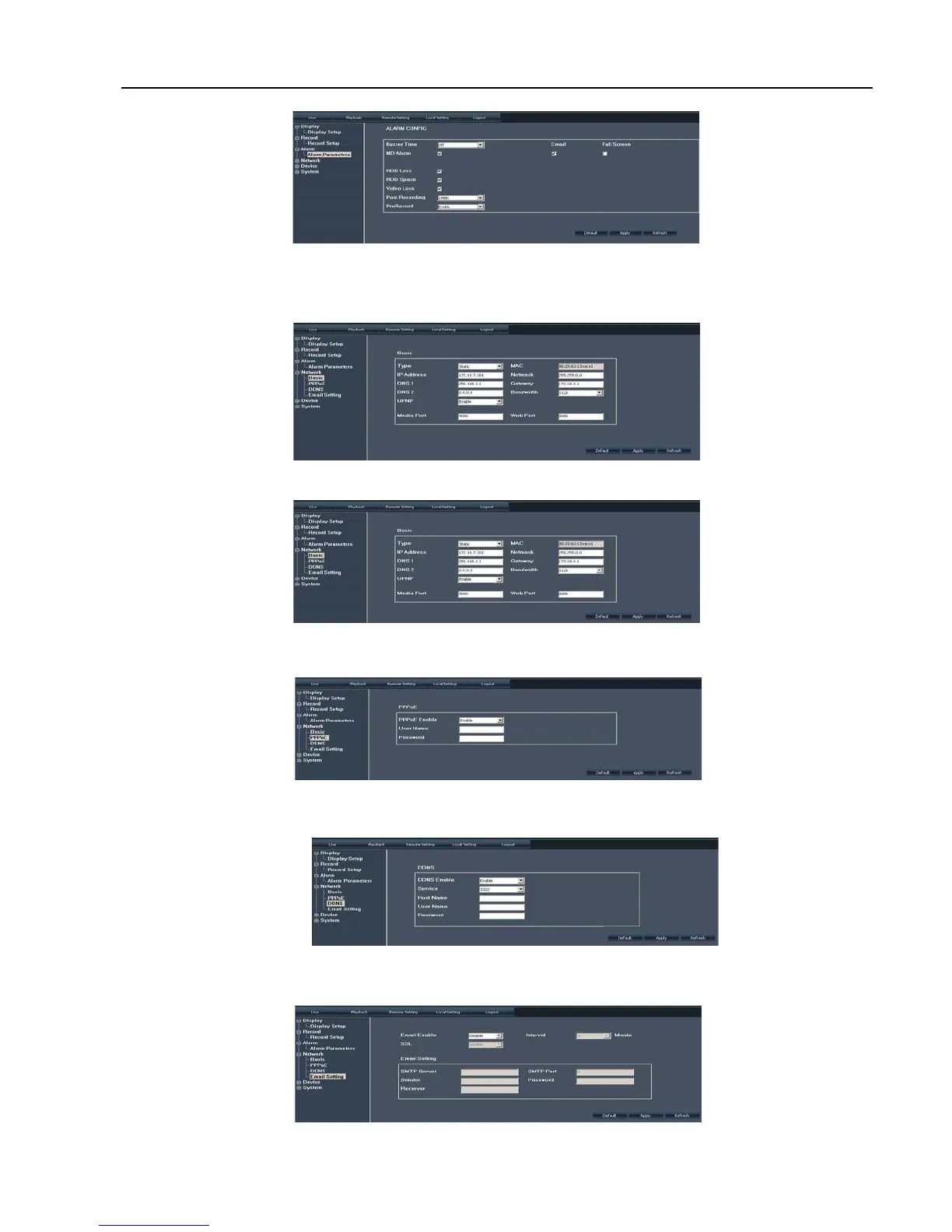
tick-select if the alarms can be sent to email or transferred to full screen mode.
Network Configuration
Click [Network Configuration] option to enter into the interface shown as Picture 6-10, and allow you set <Basic
character>, <PPPoE>, <DDNS>, <Mobile> and <Email > items. Details please refer to section 5.2.3 – <Network Set>.
Click <Basic character> item to allow you set basic network parameters and network type shown as
Picture 6-11.
Click <PPPoE> item to allow you enable <PPPoE> protocol and set its user name and password shown
as Picture 6-12.
Click <DDNS> item to allow you enable <DDNS> protocol and set its domain name, user name and
password shown as Picture 6-13.
Click <Email Set> item to allow you set Email enable, alarm sender and receiver’s address, SSL and time
etc shown as Picture 6-14.
Picture 6-9
Picture 6-10
Picture 6-12
Picture 6-13
Picture 6-14
Picture 6-11



 To Next Page