User Manual
29
PTZ Control
1. PTZ direction control: the buttons allows you control PTZ moving direction.
2. Zoom, Focus and Iris control: the buttons allows you control PTZ moving direction, zoom, focus and iris.
3. Preset bit control
Pan and Tilt Pos: indicates starting point you desire to cruise firstly.
: On Live mode, enter preset point No you want to display and click the icon to load the last preset point
you set.
: allow you set a series of specific preset points of a PTZ camera, and click [ ] icon to save the
preset point you set.
: On live mode, input the preset point no you want to display and click the icon to quickly go to the
preset point.
Clicking the icon allows you delete the current preset point.
: allow you enable/disable the [Cruise] function.
6.3.1.2 Playback
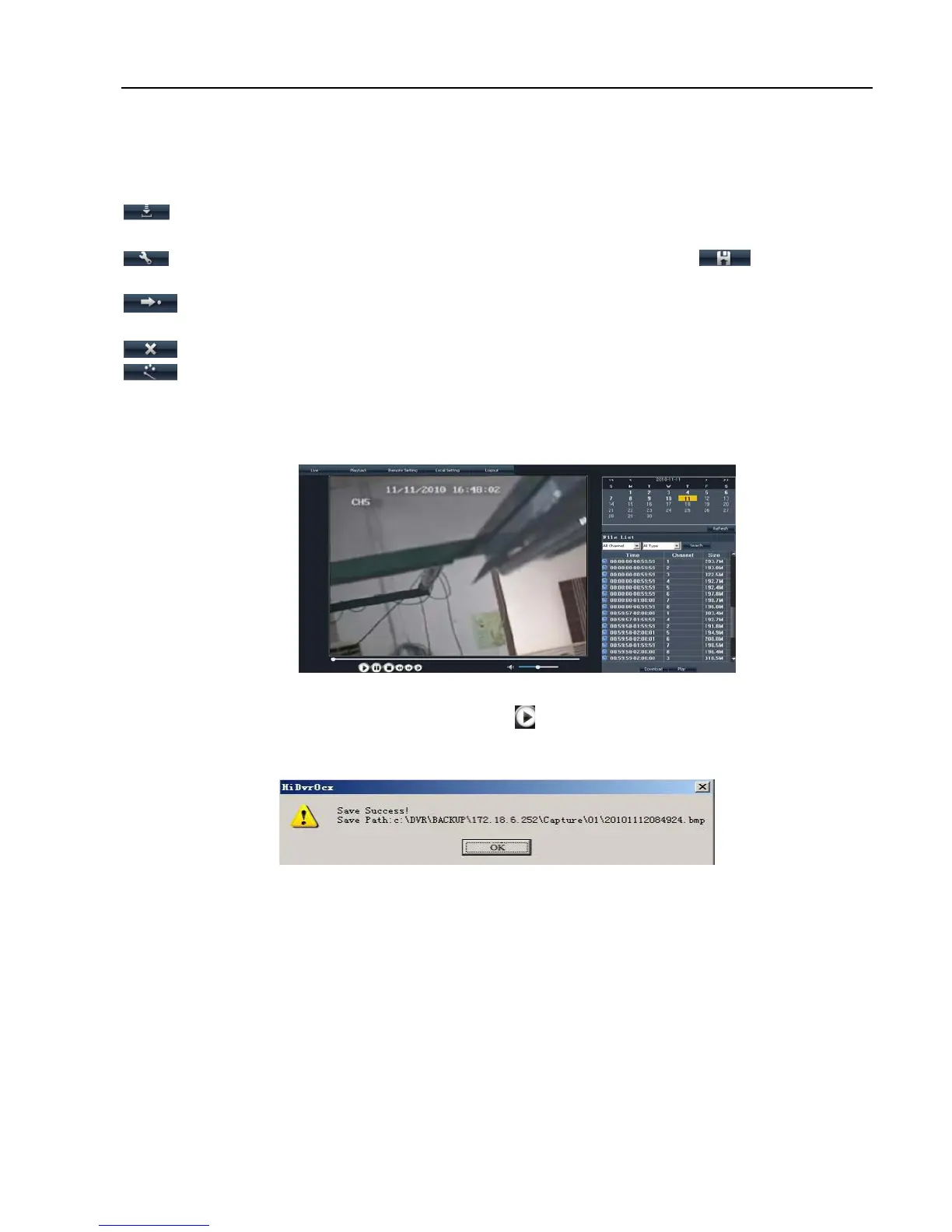
Click [Playback] option to playback record files from remote DVR by selecting relevant date, channel and
type. Details please refer to below Picture 6-3.
Double-click any file listed or highlight any file and click [ ] button to play the selected record file.
Click [Download] button to download and save selected record file to specified saving path shown as
Picture 6-4.
You can set [Save Path] option on the [Local Setting] menu.
The [Play control] bar is located at the bottom of the interface, include [Play], [Pause], [Stop], [Slow Play],
[Fast Play], [Next Frame] and [Volume adjust] option.
6.3.1.3 Remote Set
Click [Remote Set] menu to enter into the interface shown as Picture 6-5a and pop up the sub-menu:
Display, Record, Alarm, Network, Device manage and parameter etc.
Picture 6-3
Picture 6-4



 To Next Page