6 Mounting
Maschinenfabrik Reinhausen GmbH 202150 7817454/02 ENTAPCON
®
230 Expert
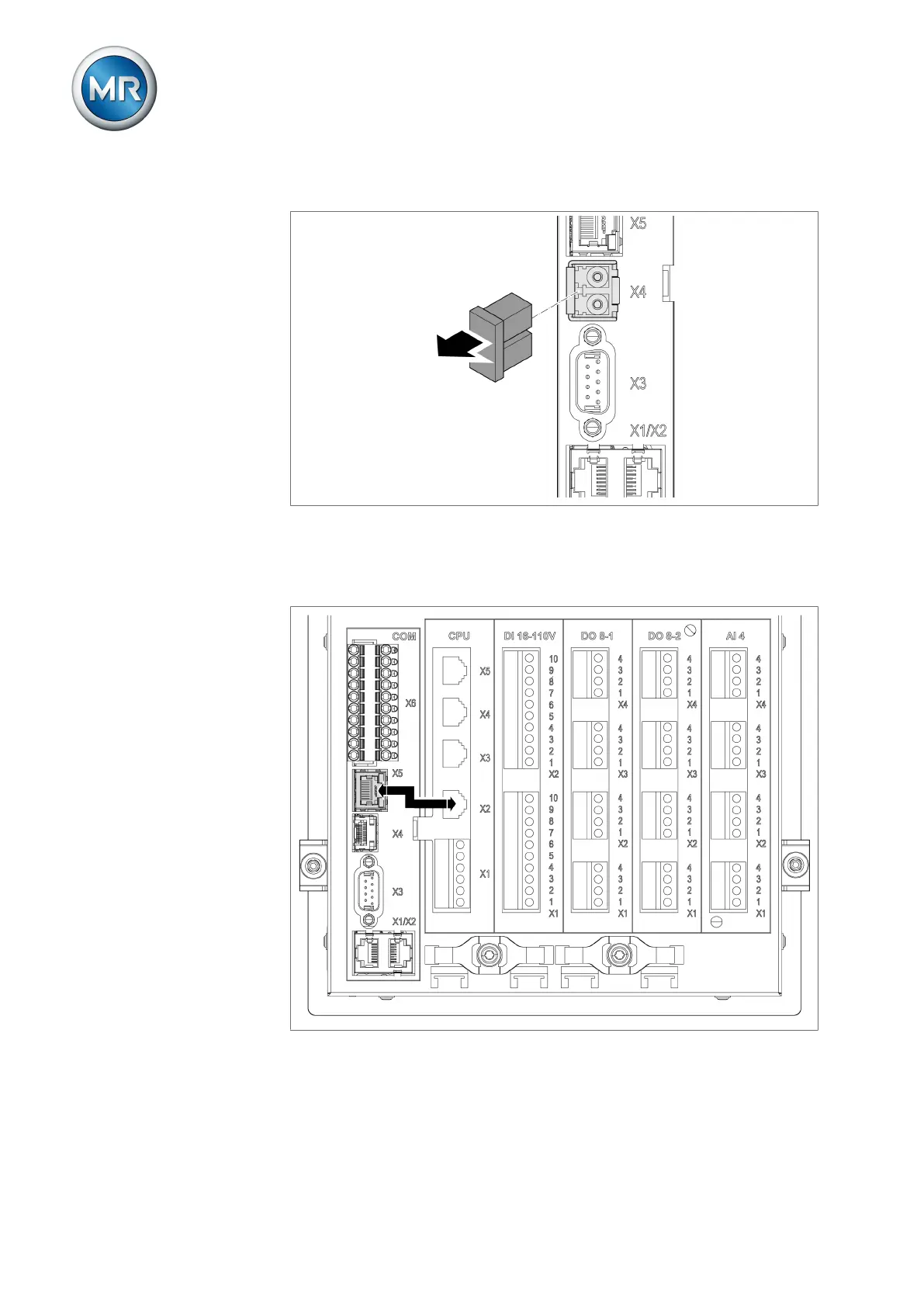
2. Remove the SFP module dust plug.
Figure34: Remove the dust protection
3. Insert the fiber-optic cable with LC duplex into the SFP module COM-X4
interface.
4. Connect the COM-X5 to the CPU-X2 using the supplied patch cable.
Figure35: Connecting CPU-X5 and COM-X2



 To Next Page