UsingtheRouter’sWebInterface 20
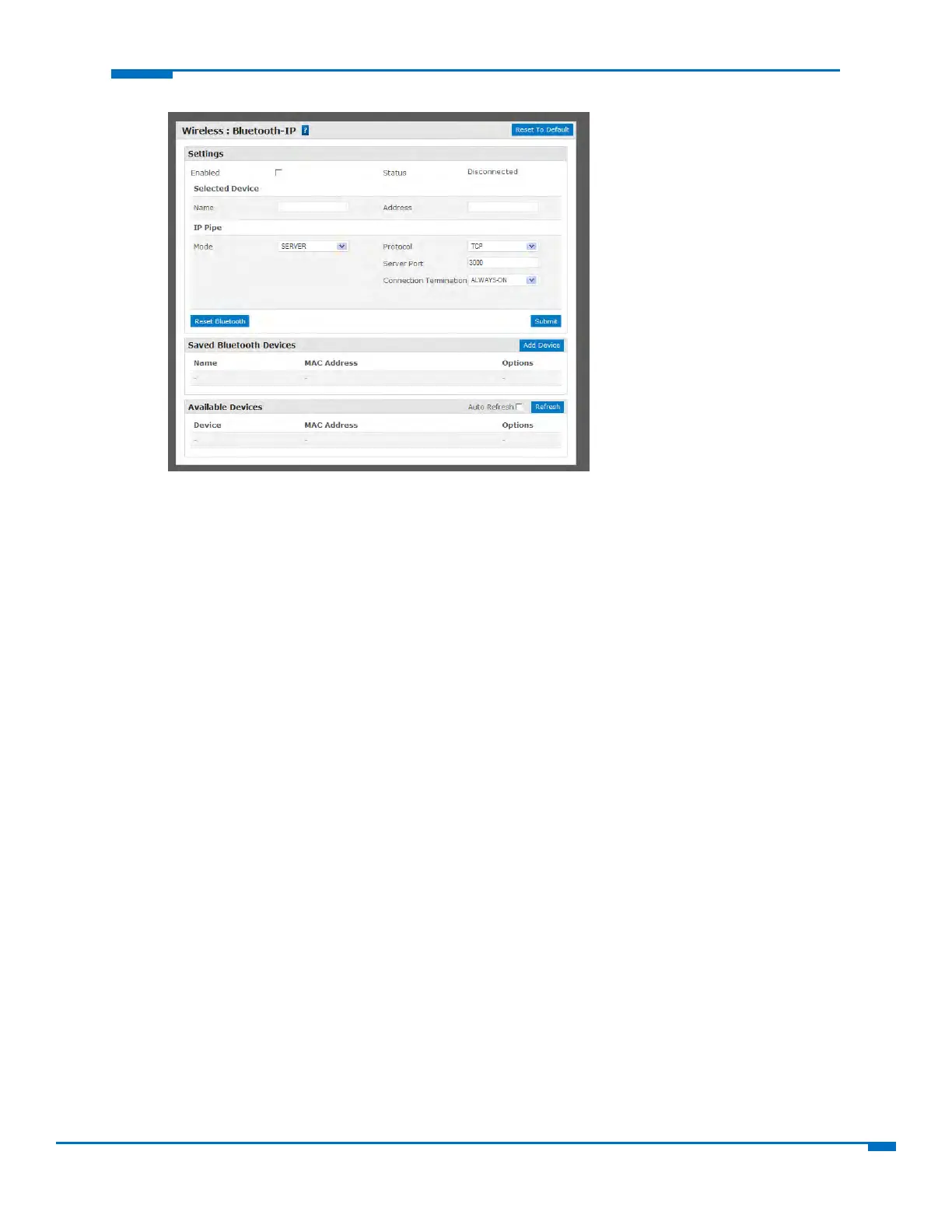
2. Confirmthatthefar‐endBluetoothdeviceispoweredonandwaitingforaconnection.
3. IntheAvailableDevicesgroup,clickRefresh.AlistofdetectedBluetoothdevicesappears.
4. ClickthenameoftheBluetoothdevicethatyouwanttouse.ThenameandMACaddressappearu
nder
theselecteddevice.
ToconfiguretheIPPipeinTCP/UDPServermode:
1. IntheIPPipegroup,fromtheModedrop‐downlist,selectSERVER.
2. FromtheProtocoldrop‐downlist,selectthedesiredprotocol,eitherTCPorUDP.
3. IntheServerPortfield,typeth
edesiredpor
tvalueintherange1to65535.
4. FromtheConnectionTerminationdrop‐downlist,selectadisconnectmethodfortheIPpipe.Options
are:
AlwaysConnected
SequenceAsequenceofcharactersreceivedfromtheBluetoothsideusedtodisconnecttheIPpipe.
TimeoutTheIPpipeconnectiondisconnectsiftheconfiguredtimerexpireswithnodatasentor
received.



 To Next Page