Chapter 6—Using the Software
110 MultiVOIP® Voice/Fax over IP Gateways
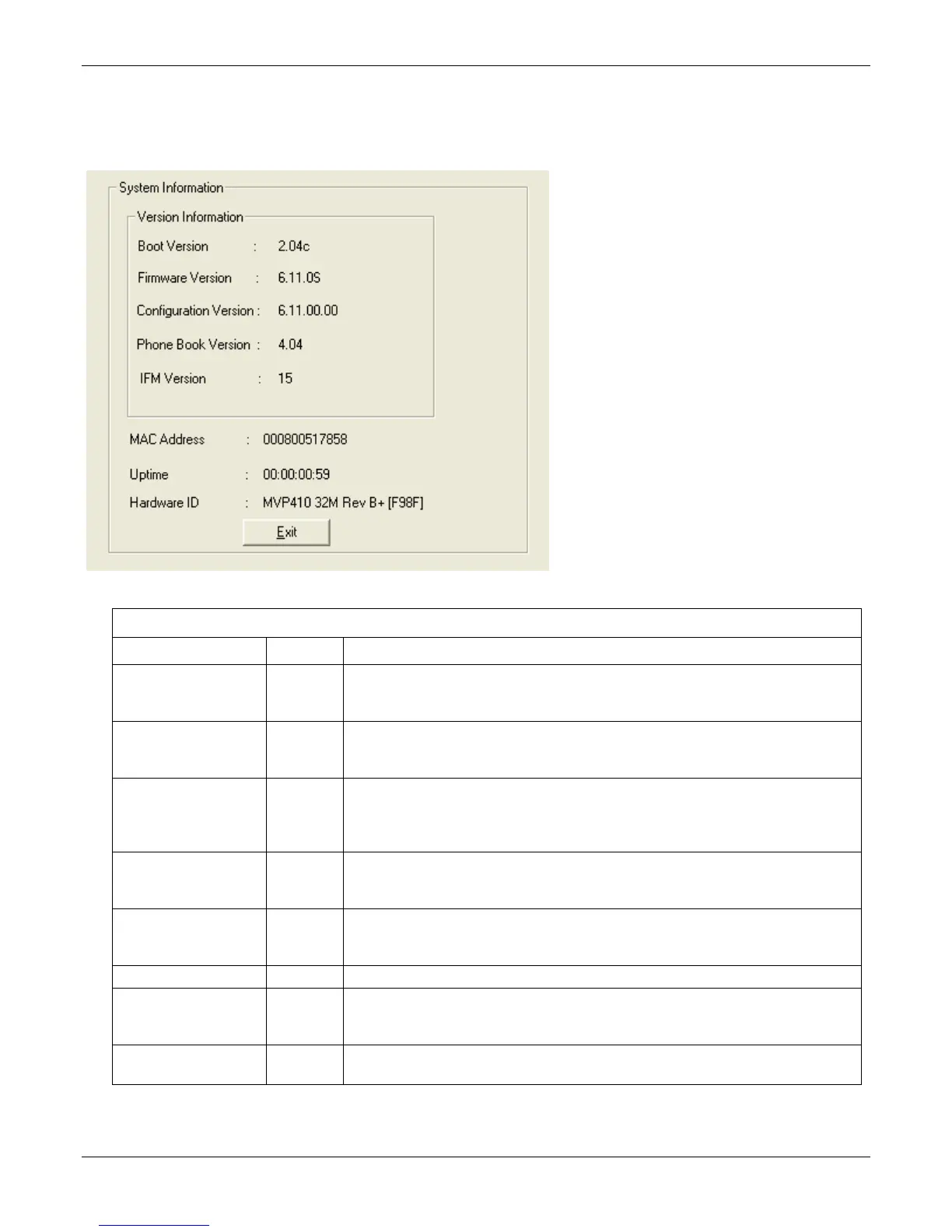
System Information Window
This window presents system information that is useful for troubleshooting. You can find the information under
the Configuration section. The figure that follows shows an example of system information, which won’t exactly
match your system information.
System Information Parameter Definitions
Field Name Values Description
Boot Version nn.nn
alpha-
numeric
Indicates the version of the code that is used at the startup (booting) of the VOIP. The
boot code version is independent of the software version.
Firmware Version nn.nn.nn
alpha-
numeric
Indicates the version of the MultiVOIP firmware.
Configuration Version nn.nn.
nn.nn
alpha-
numeric
Indicates the version of the MultiVOIP configuration software.
Phone Book Version nn.nn
alpha-
numeric
Indicates the version of the MultiVOIP phone book being used.
IFM Version nn
alpha-
numeric
Indicates version of the IFM module, the device that performs the transformation
between telephony signals and IP signals.
Mac Address numeric Denotes the number assigned as the VOIP unit’s unique Ethernet address.
Up Time days:
hours:
mm:ss
Indicates how long the VOIP has been running since its last booting.
Hardware ID alpha-
numeric
Indicates version of the MultiVOIP circuit board assembly being used.



 To Next Page