Chapter 4 – Configuring Your MultiVOIP
MultiVOIP® Voice/Fax over IP Gateways 37
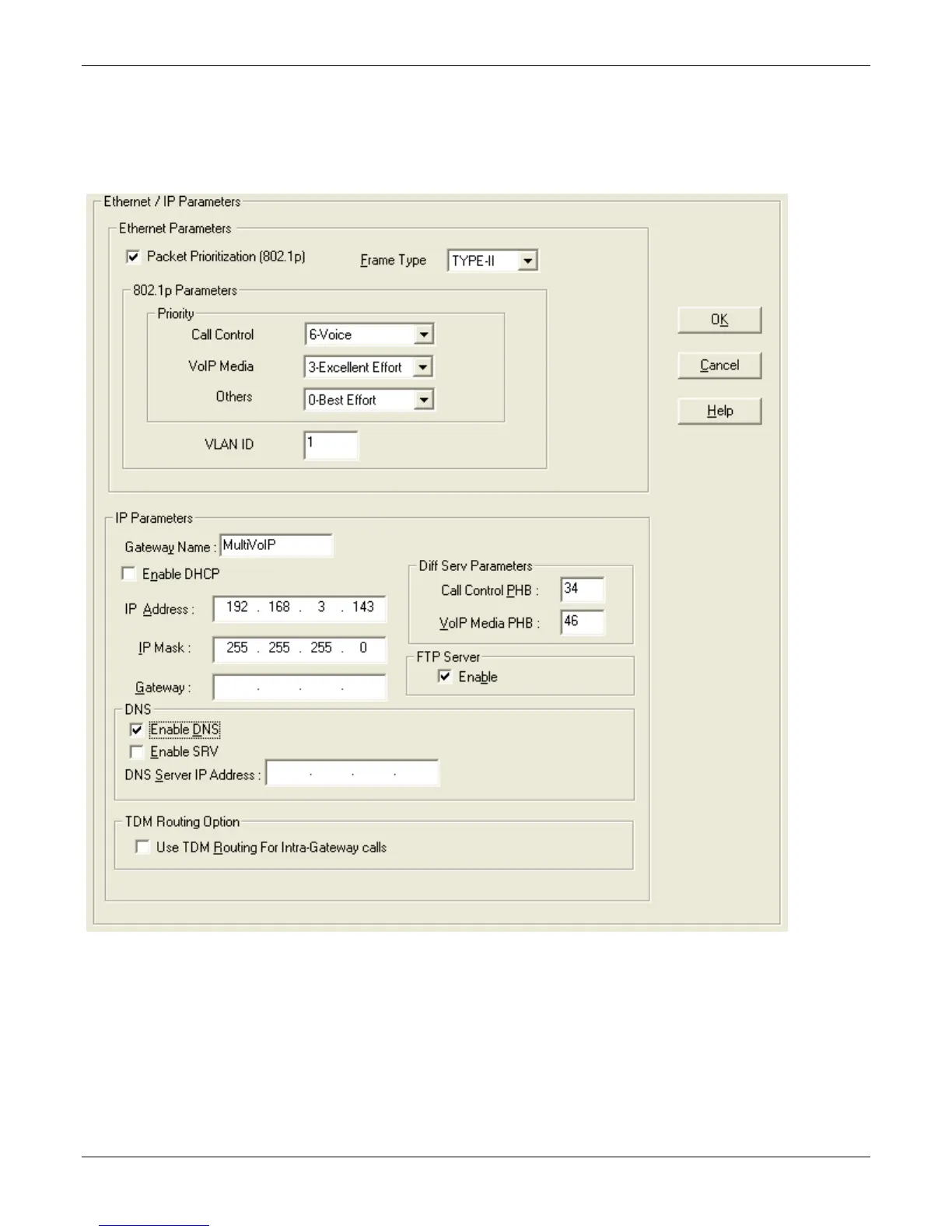
Setting Ethernet/IP
This section describes the Ethernet settings needed for the MultiVOIP unit. In each field, enter the values that fit
the network to which the MultiVOIP is connected. For many settings, the default values work best. Try these
settings first unless you are certain that you need to change a parameter.
The Ethernet/IP Parameters fields are described in the tables that follow. Note that both Diff Serv parameters
(Call Control PHB and VOIP Media PHB) must be set to zero if you enable Packet Prioritization (802.1p). Nonzero
Diff Serv values negate the prioritization scheme.



 To Next Page