Chapter 6—Using the Software
118 MultiVOIP® Voice/Fax over IP Gateways
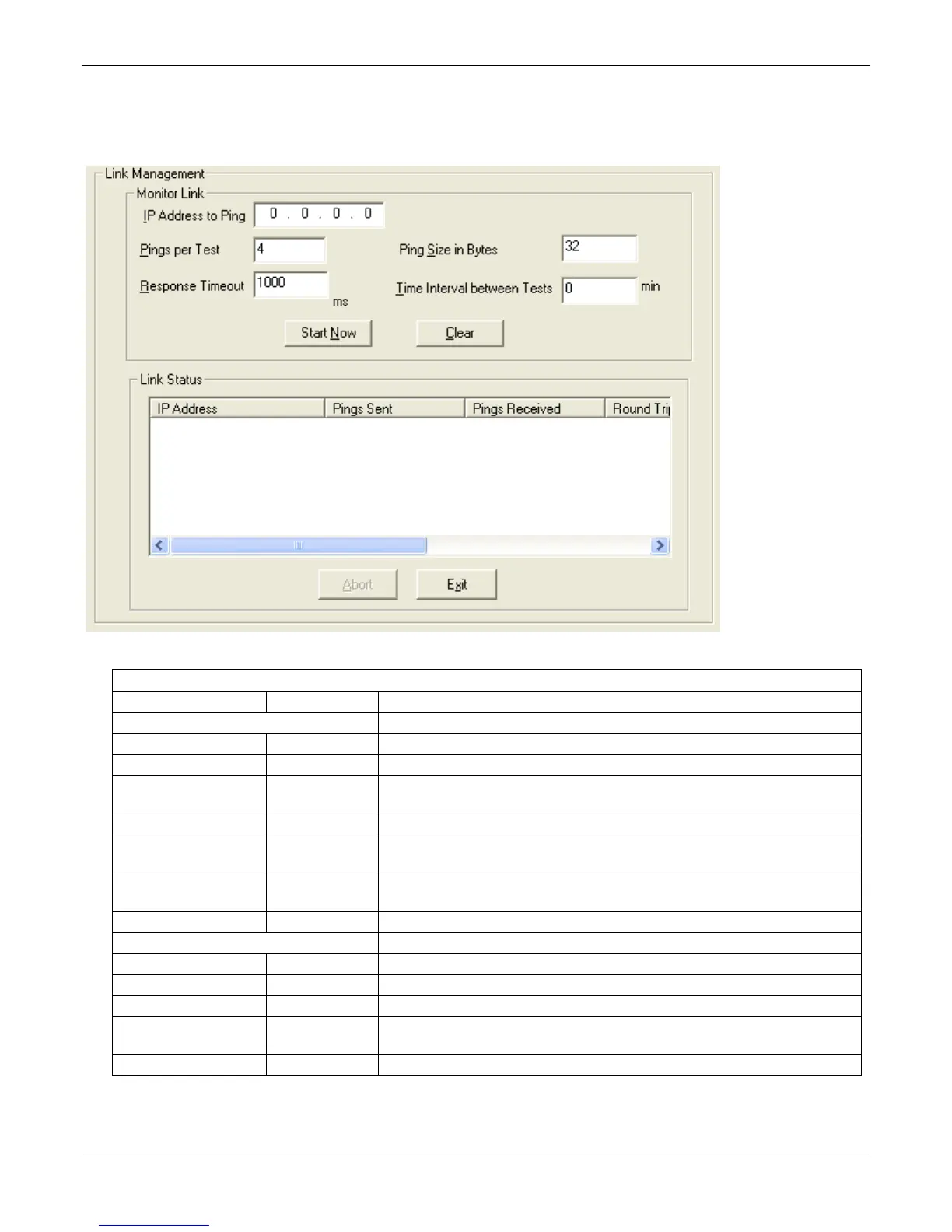
Link Management
The Link Management screen is essentially an automated utility for pinging endpoints on your VOIP network.
This utility generates pings of variable sizes at variable intervals and records the response to the pings.
Link Management screen Field Definitions
Field Name Values Description
Monitor Link fields
IP Address to Ping n.n.n.n This is the IP address of the target endpoint to be pinged.
Pings per Test 1-999 This field determines how many pings are generated by the Start Now command.
Response Timeout 500 – 5000
milliseconds
The duration after which a ping is considered to have failed.
Ping Size in Bytes 32 – 128 bytes This field determines how long or large the ping is.
Timer Interval between
Pings
0 or 30 – 6000
minutes
This field determines how long of a wait there is between one ping and the next.
Start Now command
button
-- Initiates pinging.
Clear command button -- Erases ping parameters in Monitor Link field group and restores default values.
Link Status Parameters These fields summarize the results of pinging.
IP Address column n.n.n.n Target of ping.
No. of Pings Sent as listed Number of pings sent to target endpoint.
No. of Pings Received as listed Number of pings received by target endpoint.
Round Trip Delay
(Min/Max/Avg)
as listed,
in milliseconds
Displays how long it took from time ping was sent to time ping response was
received.
Last Error as listed Indicates when last data error occurred.



 To Next Page