Chapter 3 – Installing Software
26 MultiVOIP® Voice/Fax over IP Gateways
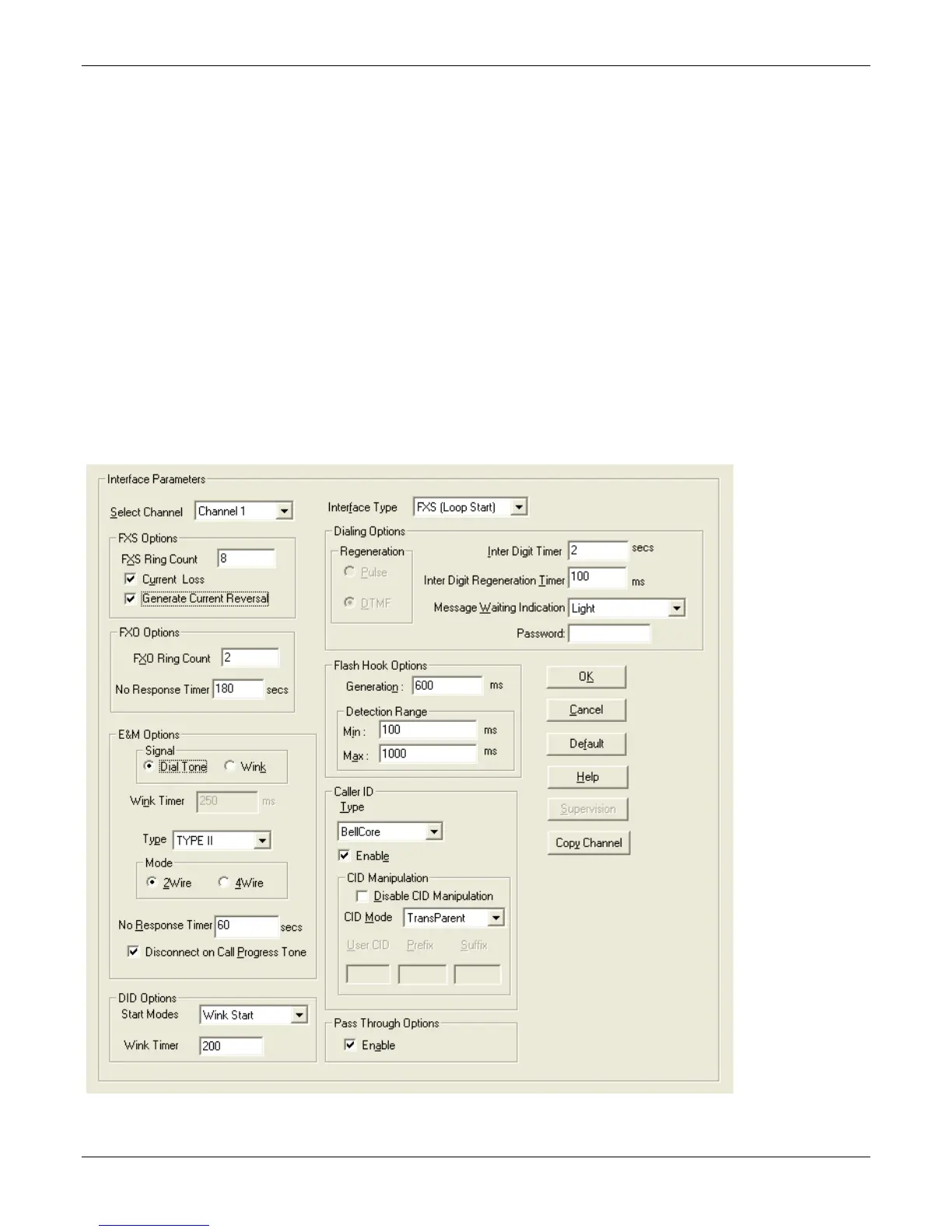
Setting Interface Parameters
The Interface parameters control the telephony settings that are applied to the individual MultiVOIP channels.
Configure each channel for the type of interface you are using. Channel 1 is selected by default.
Note: Features are available or unavailable depending on the selected interface type. The one option available
for all interface types is the inter digit timer option. This option defines the maximum time that the unit waits
before mapping the dialed digits to an entry in the phone book database. If too much time elapses between
digits, and the wrong numbers are mapped, you hear a rapid busy signal. If this happens, hang up and dial again.
If the Interface Type is FXS (Loop Start), a station device such as an analog telephone, fax machine or KTS (Key
Telephone System) is connected to an analog channel. The FXS options group is active.
If the Interface Type is FXO, the Dialing Options Regeneration, Flash Hook Timer and Ring Count groups are
enabled. The FXO Ring Count allows you to set the number of rings before the unit answers the incoming call.
Check with your local in-house phone personnel to verify whether your local PBX dial signaling is pulse or tone
(DTMF). The Flash Hook Options Generation setting allows you to enter the time, in milliseconds, for the
duration of the flash hook signal.
If the Interface Type is E & M, you are connecting to an analog E & M trunk on your PBX. Check with your in-
house phone personnel to determine the signaling type (Dial Tone or Wink) and if it is 2-wire or 4-wire. The –SS
and –FX series do not support E&M or DID operation.



 To Next Page