Chapter 6—Using the Software
MultiVOIP® Voice/Fax over IP Gateways 119
Registered Gateway Details
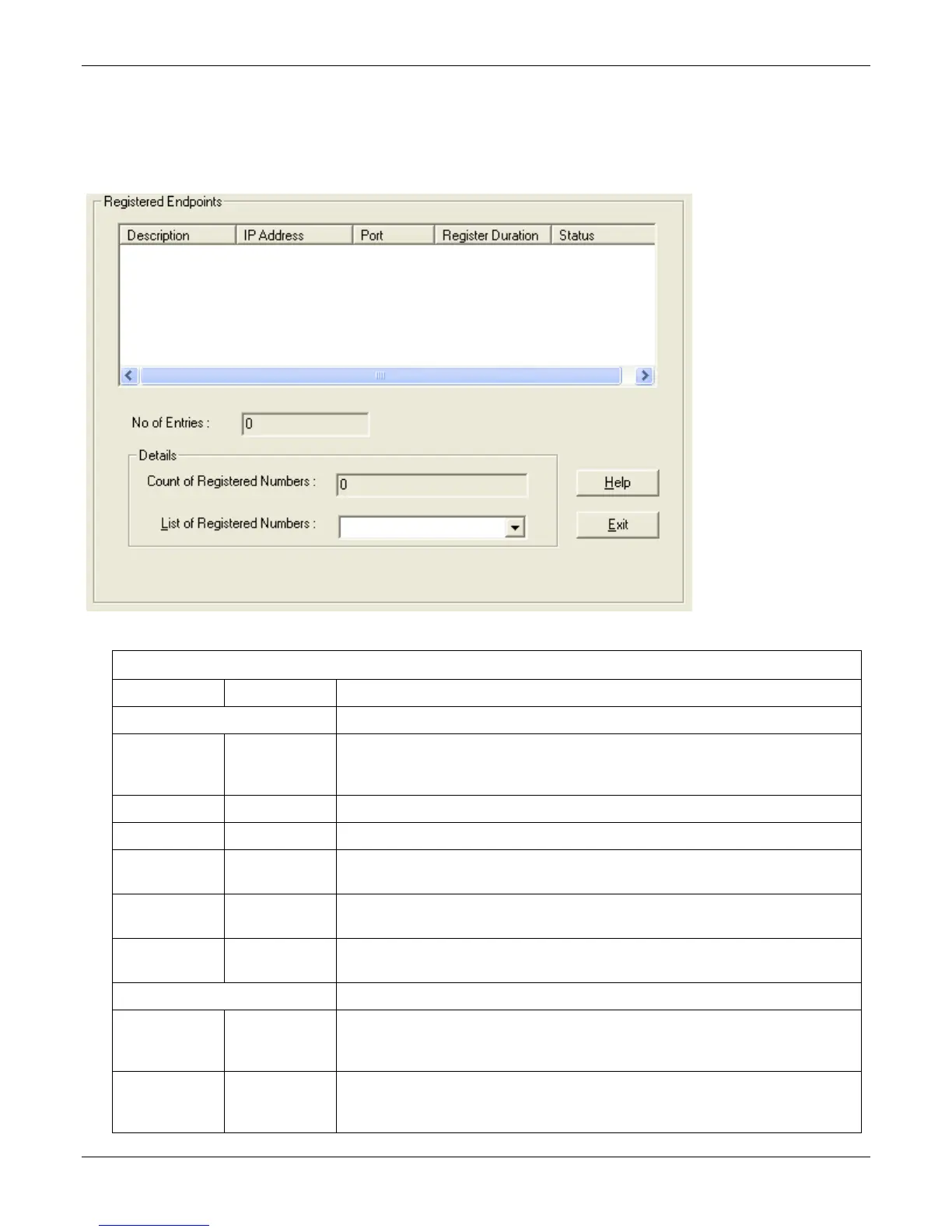
The Registered Gateway Details screen presents a real-time display of the special operating parameters of the
Single Port Protocol (SPP). You configure these parameters in the Call Signaling screen and in the Add/Edit
Outbound Phone Book screen.
Registered Gateway Details: Field Definitions
Field Name Values Description
Column Headings
Description alphanumeric This is a descriptor for a particular VOIP gateway unit. This descriptor should generally
identify the physical location of the unit (e.g., city, building, etc.) and perhaps even its
location in an equipment rack.
IP Address n.n.n.n The RAS address for the gateway.
Port n Port by which the gateway exchanges H.225 RAS messages with the gatekeeper.
Register
Duration
The time remaining in seconds before the TimeToLive timer expires. If the gateway fails to
reregister within this time, the endpoint is unregistered.
Status Registered/
unregistered
The current status of the gateway either registered or unregistered.
No. of Entries The number of gateways currently registered to the Registrar. This includes all SPP clients
registered and the Registrar itself.
Details
Count of
Registered
Numbers
If a registered gateway is selected (by clicking on it in the screen), The "Count of Registered
Numbers" indicates the number of registered phone numbers for the selected gateway.
When a client registers, all of its inbound phonebook's phone numbers become registered.
List of
Registered
Numbers
Lists all of the registered phone numbers for the selected gateway.



 To Next Page