Chapter 6—Using the Software
MultiVOIP® Voice/Fax over IP Gateways 123
Advanced
Packetization Time
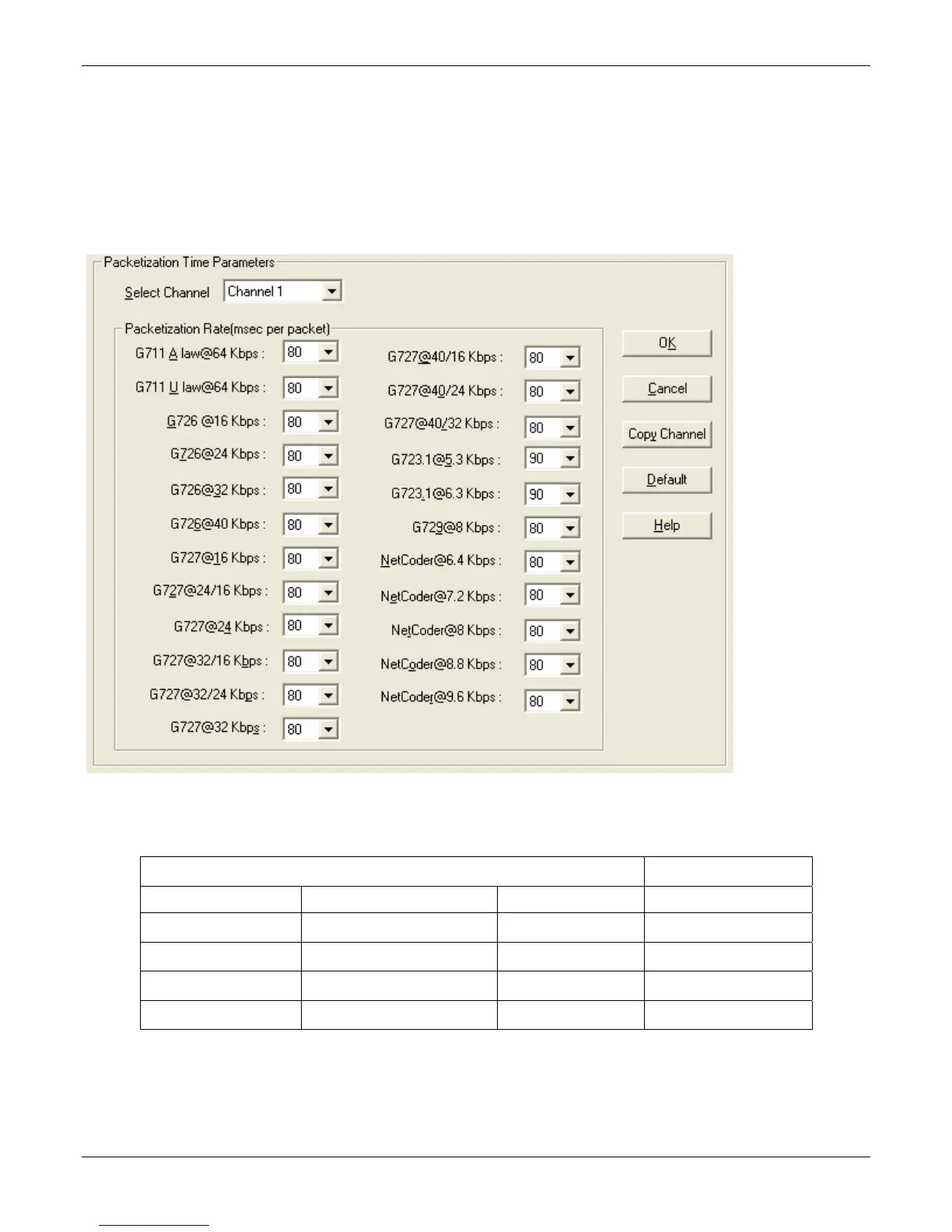
You can use the Packetization Time screen to specify definite packetization rates for coders selected in the
Voice/FAX Parameters screen (in the “Coder Options” group of fields). The Packetization Time screen is
accessible under the “Advanced” options entry in the sidebar list of the main VOIP software screen. In dealing
with RTP parameters, the Packetization Time screen is closely related to both Voice/FAX Parameters and to IP
Statistics. It is located in the “Advanced” group for ease of use.
You can set packetization rates for each channel.
The table that follows presents the ranges and increments for packetization rates. The final column represents
recommended settings (based on the most common found) when operating with third party devices.
Packetization Ranges and Increments Recommendations
Coder Types Range (in Kbps); {default} Increments (in Kbps) Setting (in ms)
G711, G726, G727 5-120 {5} 5 20
G723 30-120 {30} 30 30
G729 10-120 {10} 10 20
NetCoder 20-120 {20} 20 20
Once the packetization rate has been set for one channel, it can be copied into other channels by using the Copy
Channel button on the Packetization Time screen. Simply click the boxes next to the channels you wish to copy
the settings for.



 To Next Page