Chapter 4 – Configuring Your MultiVOIP
40 MultiVOIP® Voice/Fax over IP Gateways
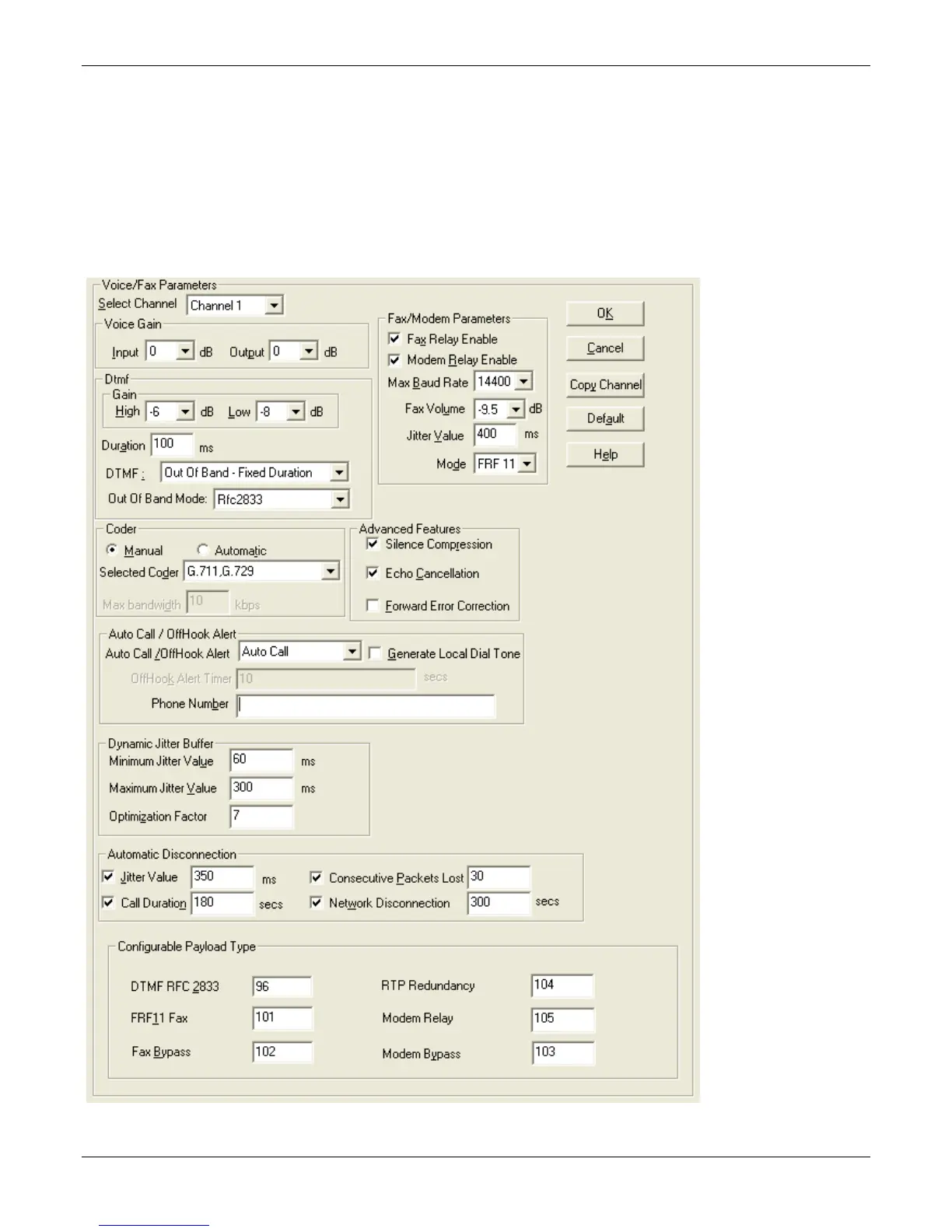
Setting Voice/Fax Parameters
Configure the Voice/Fax section for each channel used. However, once you have established a set of Voice/FAX
parameters for a particular channel, you can apply this entire set of Voice/FAX parameters to another channel
by using the Copy Channel button and its dialog box. To copy a set of Voice/FAX parameters to all channels,
select “Copy to All” and click Copy.
The majority of the settings should be left at their default settings as changes often introduce problems with
signal quality. In each field, enter the values that fit your particular setup. The –SS models do not have
Configurable Payload Type available.
The Voice/FAX Parameters settings are described in the tables that follow.



 To Next Page