Chapter 4 – Configuring Your MultiVOIP
MultiVOIP® Voice/Fax over IP Gateways 49
● The Channel type corresponding to that Inbound phone book entry has to be FXS on the Interface
screen.
● The Message Waiting Indication has to be either Light or Stutter Dial Tone on the Interface Parameters
screen.
The password on the Interface screen is used for that particular channel when a “SUBSCRIBE” request is sent;
that is, if the MultiVOIP gets a 401/407 response from a subscribe request. It then uses the configured
password, calculates the response, and resends the “SUBSCRIBE” request.
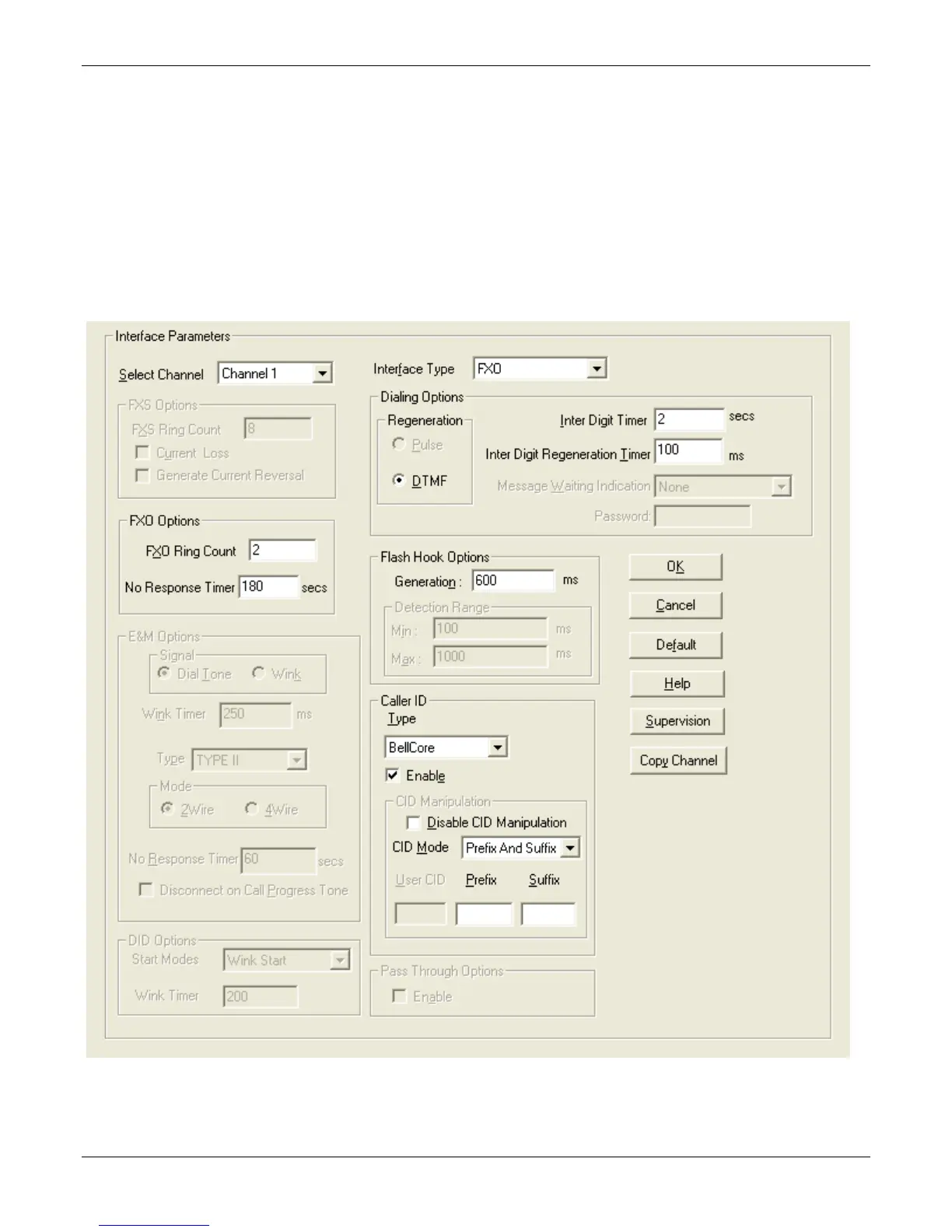
FXO Parameters
The parameters that apply to the FXO telephony interface type are shown in the figure and described in the
table that follows.



 To Next Page