Chapter 4 – Configuring Your MultiVOIP
MultiVOIP® Voice/Fax over IP Gateways 57
DID Parameters
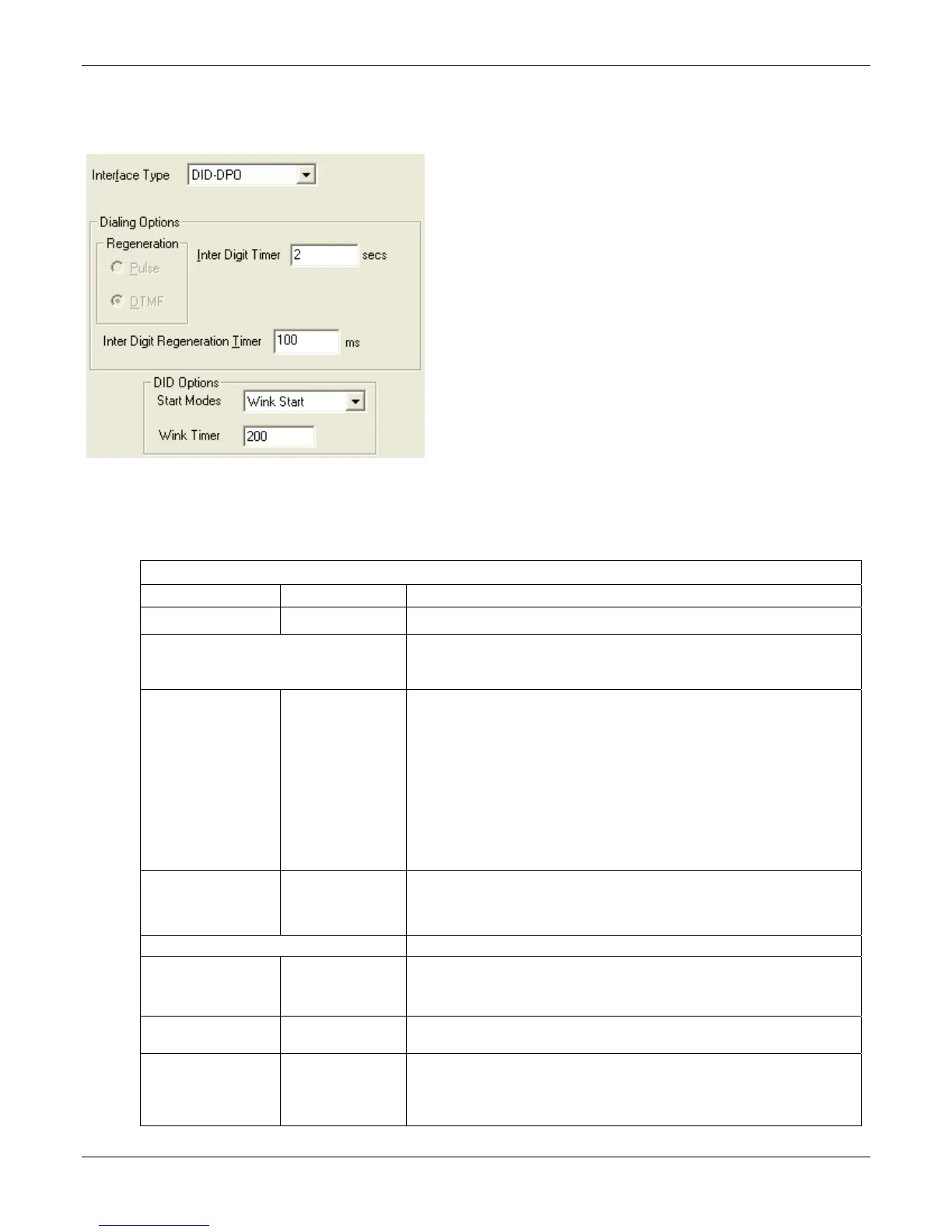
The parameters applicable to the Direct Inward Dial (DID) telephony interface type are shown in the figure that
follows and described in the table that follows. The –SS and –FX models do not support DID.
The DID interface allows one phone line to direct incoming calls to any one of several extensions without a
switchboard operator. Of course, one DID line can handle only one call at a time. The parameters apply to the
customer-premises side of the DID connection (DID-DPO, dial-pulse originating). The network side of the DID
connection (DID-DPT, dial-pulse terminating) is not supported.
DID Interface Parameter Definitions
Field Name Values Description
Interface DID-DPO Enables the customer-premises side of DID functionality
DID Options MultiVOIP’s use of DID applies only for incoming DID calls. The Start Mode
used by the MultiVOIP must match that used by the originating telephony
equipment; else DID calls cannot be completed.
Start Modes Immediate Start,
Wink Start,
Delay Dial
For Immediate Start, the VOIP detects the off-hook condition initiated by
the telco central-office call and becomes ready to receive dial digits
immediately.
For Wink Start, the VOIP detects the off-hook condition. Then the VOIP
reverses battery polarity for a specified time (140-290 ms; a “wink”) and
then becomes ready to receive dial digits.
For Delay Dial, the VOIP detects the off-hook condition. Then the VOIP
reverses battery polarity for a specified time (reverse polarity duration has
wider acceptable range than for Wink Start) and then becomes ready to
receive dial digits.
Wink Timer
(in ms)
Integer values,
in milliseconds
This is the length of the wink for Wink Start and Delay Dial signaling modes.
Applicable only when Start Mode parameter is set to “Wink Start” or “Delay
Dial.”
Dialing Options
Inter Digit Timer Integer values,
in seconds
This is the length of time that the MultiVOIP waits between digits. When the
time expires, the MultiVOIP looks in the phonebook for the number entered.
Default = 2.
Message Waiting
Indication
-- Not applicable to DID-DPO interface.
Inter-Digit
Regeneration Timer
Integer values,
in milliseconds
This parameter is applicable when digits are dialed onto a DID-DPO channel
after the connection has been made. The length of time between the
outputting of DTMF digits.
Default = 100 ms.



 To Next Page