Chapter 4 – Configuring Your MultiVOIP
MultiVOIP® Voice/Fax over IP Gateways 63
SIP Server: Predefined Endpoint Parameters.
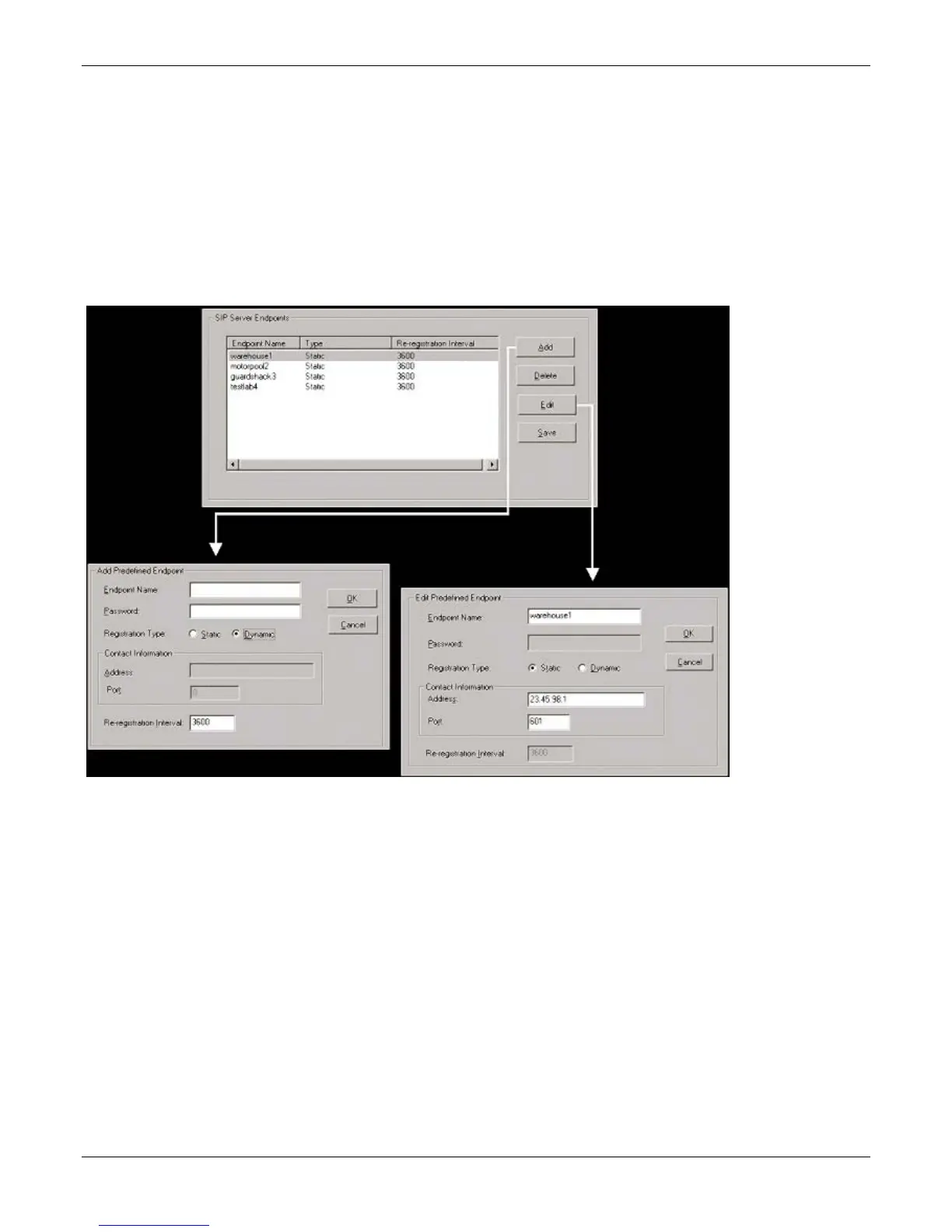
Use the SIP Server Endpoints screen to specify the VOIP gateways that depend on the MVP-SS unit:
● As their primary SIP server (if the MVP-SS is used in “Stand-Alone” mode, as set in the SIP Server |
Configuration screen) or
● As their backup SIP server (if the MVP-SS is used in “Survivability” mode, as set in the SIP Server
|Configuration screen).
The main screen for Predefined Endpoints is a list. If you click Add or Edit for entries in this list, a secondary
screen appears where you can add new endpoints or edit existing ones.
When your work with the list is complete, click Save.



 To Next Page