1
2
3
Basic fax functions
Basic faxing 3-7
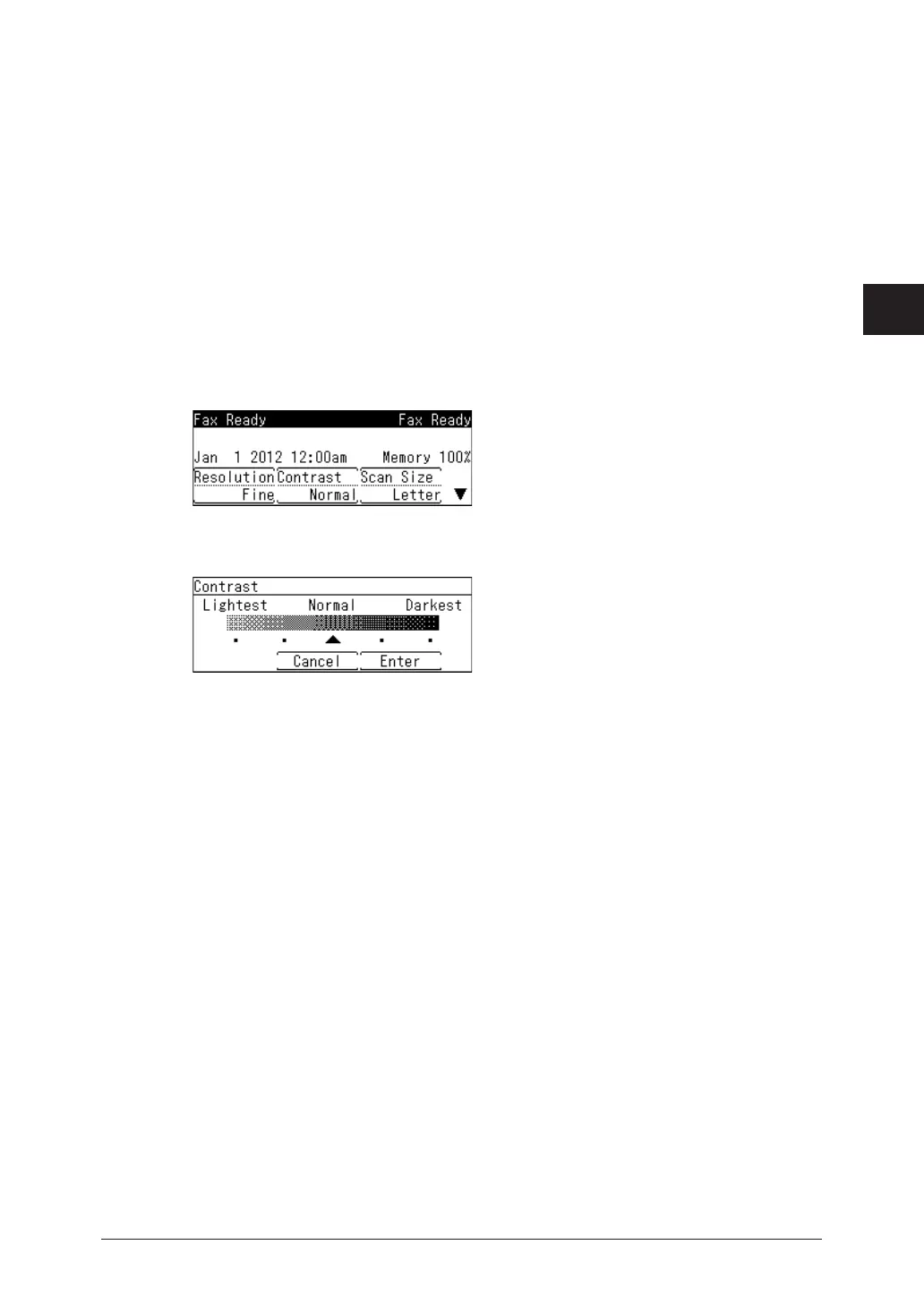
Setting the contrast
Set the contrast to scan with according to the document.
Lightest:
Lighter:
Normal:
Darker:
Darkest:
Select to scan with the lightest contrast.
Select to scan with a contrast between the normal contrast and the lightest contrast.
Select to scan with the normal contrast.
Select to scan with a contrast between the normal contrast and the darkest contrast.
Select to scan with the darkest contrast.
1
Load the document.
2
Press the mode change key to change to fax mode.
3
Press [Contrast].
If [Contrast] is not displayed, press <Advanced>
select “Contrast”
[Enter].
4
Select the desired contrast, and press [Enter].
5
Specify the destinations, and press <Start>.
•For details on specifying the destinations, see “Specifying destinations” (page 5-2).
•If you loaded the document in the automatic document feeder, this concludes the procedure.
•If you loaded the document on the document glass, the message “Set next document.” is
displayed when the loaded documents have been scanned. Load the next document, and
press [Scan NextPage]. Press [Tx Start Sending] to start transmission.



 To Next Page