Operation Instructions Spitfire 65/90 Extreme
CHAPTER 4 : PERIODICAL MAINTENANCE
43 AP-77140 – Rev. 1.1 – 05/04/07
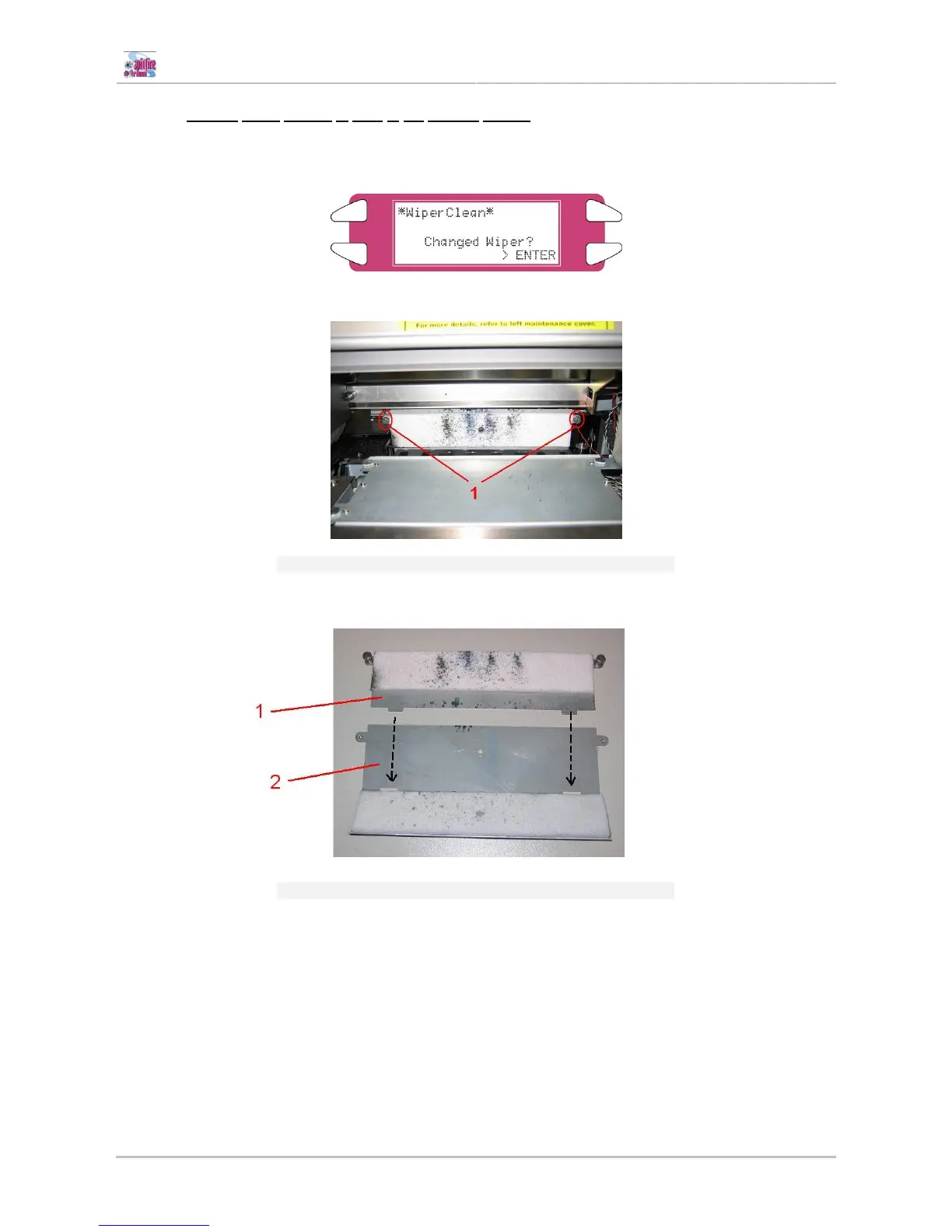
4.1.3.2 Change upper sponge at back of the capping station.
Step 1 : Power ON the printer and go to the “WiperClean-Menu”. This will cause the unlocking of the
carriage.
Step 2 : Remove the two screws fixing the sponge.
1 Screws to remove the capping sponge from the plate
Step 3 : Replace the sponge and tighten it again to the plate with the two screws.
1 Capping sponge
2 Plate















 To Next Page