Operation Instructions Spitfire 65/90 Extreme
CHAPTER 6 : PRINTER MENU
65 AP-77140 – Rev. 1.1 – 05/04/07
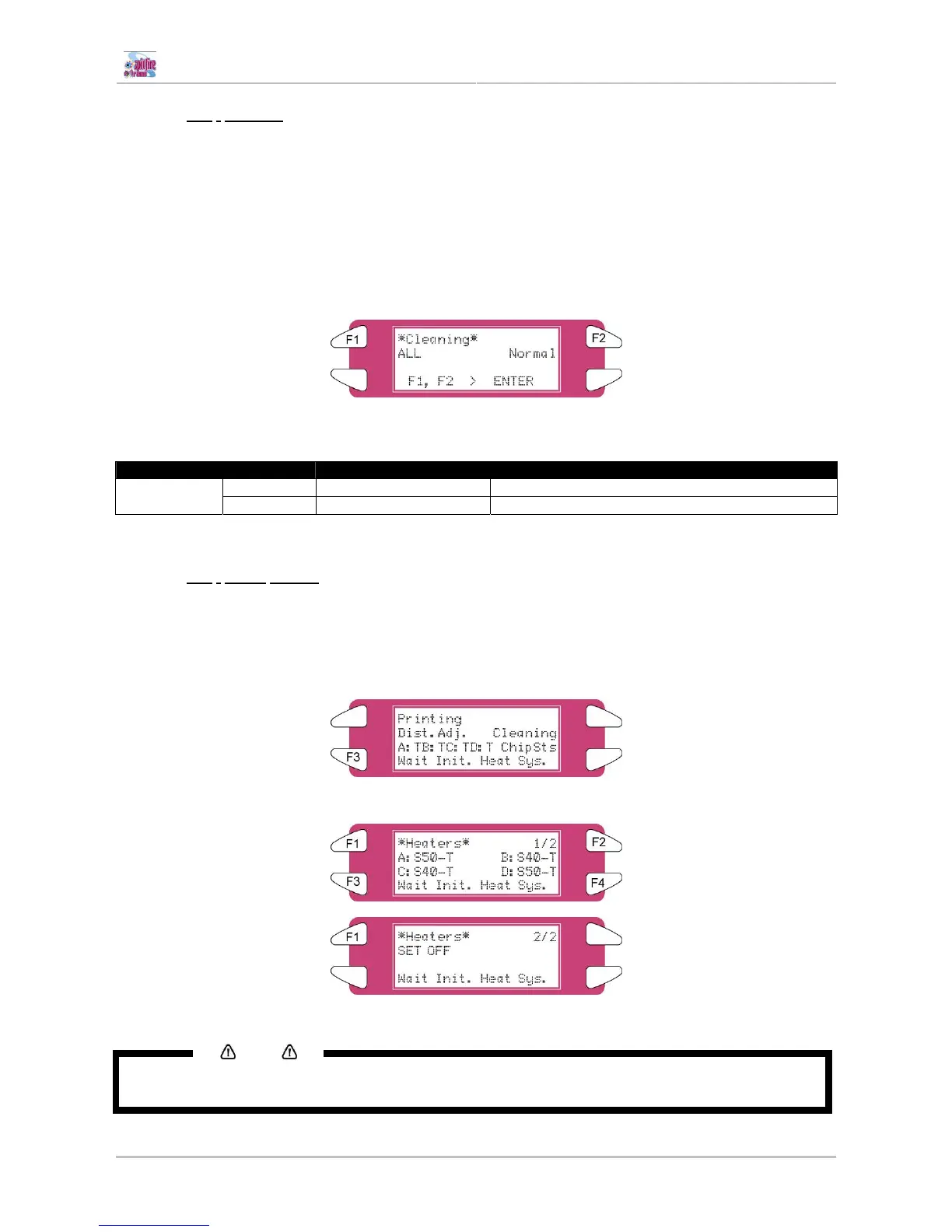
6.3.2.2 [F2] - Cleaning
While printing, it could be possible that some nozzles drop out, in that case, perform a little, normal or
powerful cleaning.
Please follow the steps below to perform a cleaning.
When there are some missing nozzles, a cleaning should be done. Depending on the quantity of missing
nozzles and which head, a little, normal or powerful cleaning on head 1-2, head 3-4 or ALL could be done.
Step 1 : Press the [F2] key of the operation panel.
I) To shift to the cleaning menu.
Step 2 : Press the [F1] key or the [F2] key on the operation panel.
I) The product will perform following operations:
Setup items Key name Parameters Description
F1 ALL, Head 1 – Head 2 Clean ALL heads or head couple one or two Cut & Feed
F2 Little, normal, powerful Set the intensity of a cleaning
Step 3 : Press the [ENTER] key to start the requested cleaning.
6.3.2.3 [F3]
- Adjust heaters
While printing, the heater values can be changed. For example: when noticing cockling.
Please follow the steps below to adjust the heater temperatures.
Step 1 : Press the [F3] key
Step 2 : Following screen will be displayed
Step 3 : Change the value of one or more heaters or switch them all off.
Notes
For more details about heater adjustment, please refer to “Controlling the heater elements on the Spitfire
Extreme printer”















 To Next Page