4.3 EtherNet/IP master settings
4-19
12
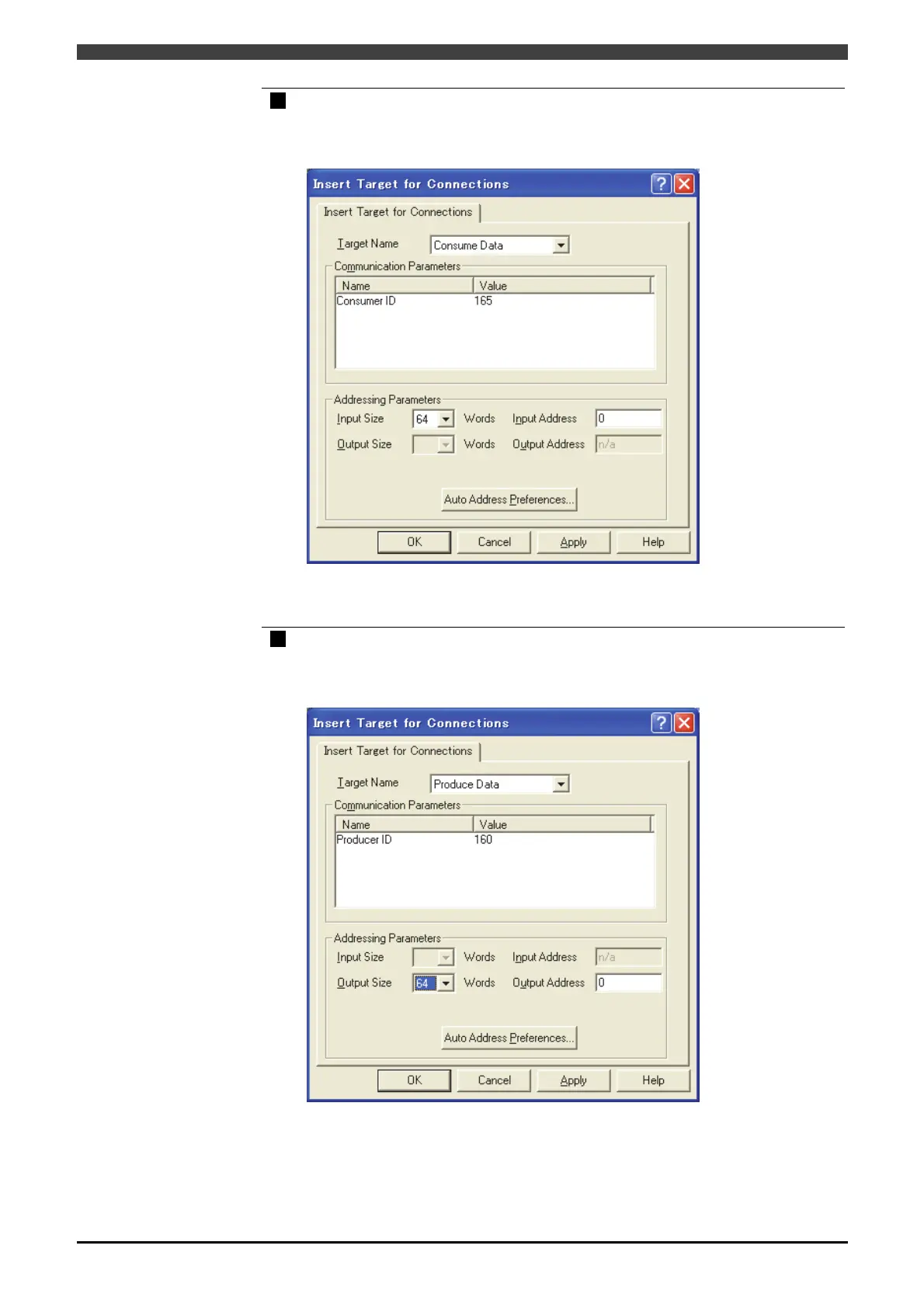
Double-click the master in the list, and set the input byte count.
Select “Consume Data” in the “Target Name”, set the input byte count (2-byte words)
in the “Input Size”, and then set the IP address in the “Input Address”.
Set I/O etc., and click the “OK” key at the end.
13
Double-click the master in the list, and set the output byte count.
Select “Produce Data” in the “Target Name”, set the output byte count (2-byte words)
in the “Output Size”, and then set the output address in the “Output Address”.



 To Next Page