4.3 EtherNet/IP master settings
4-20
14
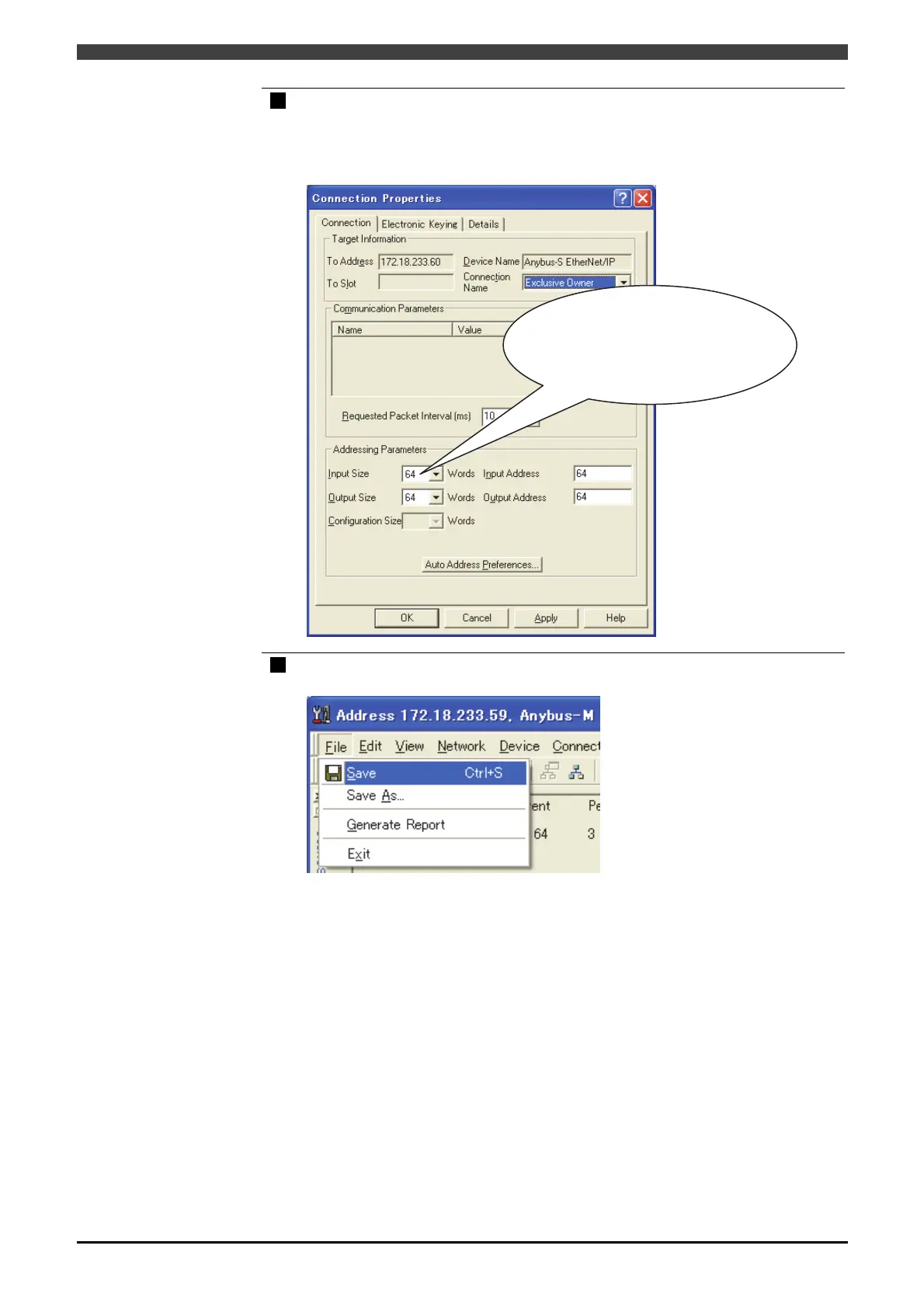
Double-click the slave in the list, and set the input/output byte count.
Select “Exclusive Owner” in the “Connection Name”, set the input/output byte count
(2-byte words) in the “Input Size” and “Output Size”, and then set the input/output
address in the “Input Address” and “Output Address”.
15
Click “Save” of the “File” menu.
>> Save the list.
Set the input size and the output
size from the master.
The input size is input in two
bytes. When setting 64 bytes with
this controller, set as "32”.



 To Next Page