W415-2036 / D / 08.05.21
EN
26
maintenance
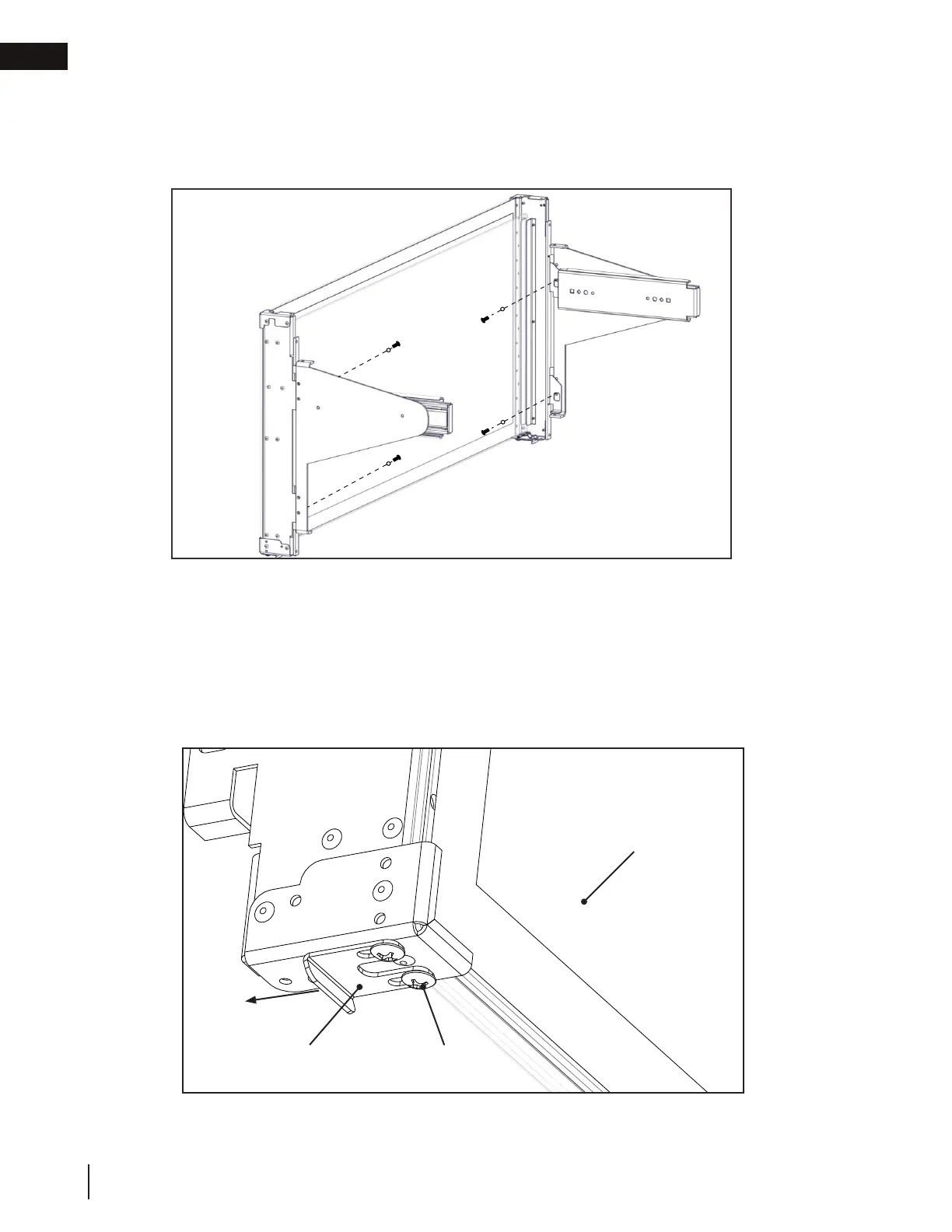
Outer glass
Fig. 12
GGA-1 catch
securing screws
GGA-1 catch
Fig. 13
9. Secure GGA-1 with 1 fastener and 1 washer on top and bottom of each GGA-1 slider bracket (total of 4)
holding the GGA-1 tight to the GGA-1 slider bracket surface throughout (Fig. 12). Tighten firmly enough
to hold GGA-1 against GGA-1 slider bracket. Do not fully tighten until adjustment is complete and during
final GGA-1 installation.
10. The GGA-1 catches should be installed toward the appliance. It may be necessary to loosen the GGA-1
catch securing screws on the bottom of both sides of the GGA-1 and slide them all the way towards the
back of the GGA-1. Retighten securing screws (Fig. 13).







 To Next Page