VS1 Operations and Maintenance Manual Operating the transmitter
Issue 3.1 2013-10-01 Page 2-91
Viewing Transmitter Status
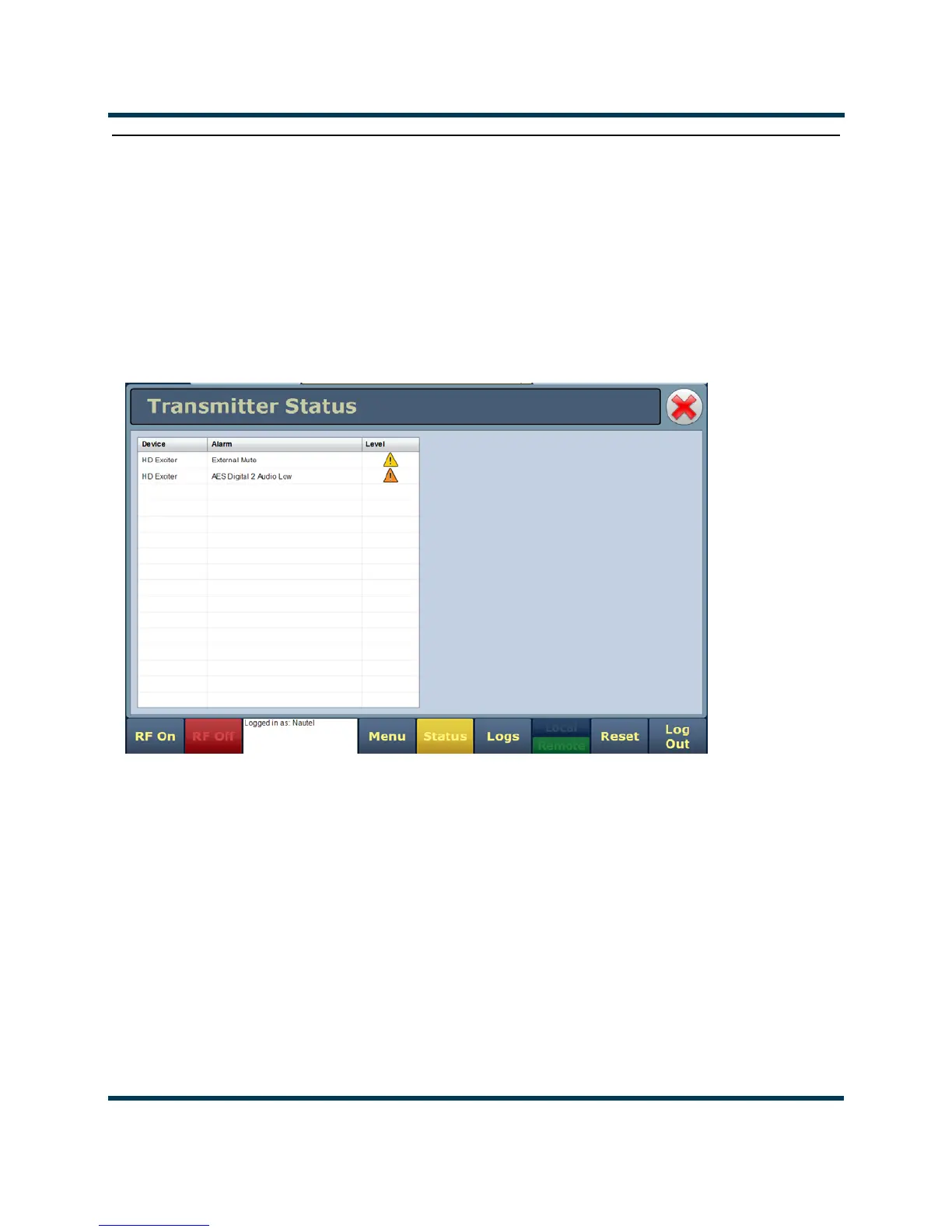
You can view the VS1’s operational status using the AUI’s Transmitter Status page - see Figure 2.80.
This page shows current active alarms to aid in fault diagnosis. To view the Transmitter Status page,
click the Status button in the AUI’s bottom banner. Click X to return to the home page.
You can also use the transmitter front panel UI to view active alarms (see Transmitter Log - Using the
front panel on page 2-28).
Figure 2.80: Transmitter Status page
The Transmitter Status page displays all active transmitter alarms. Alarms are listed by their host
device (Controller or Exciter), alarm name and severity level [a single orange ! indicates low severity
(RF output not affected); a single red ! indicates medium severity (RF output is reduced); three red !
indicates high severity (RF output is inhibited)]. Refer to the VS1 Troubleshooting Manual for
detailed information on alarm details such as root cause and troubleshooting tips.
Click the
Reset button at the bottom of any AUI screen to attempt to clear any latching alarms that
are holding the transmitter in an “off-air” state (see Reset: on page 2-18). If the offending alarm has
cleared, the transmitter should resume operation.



 To Next Page