VS1 Operations and Maintenance Manual Operating the transmitter
Page 2-10 Issue 3.1 2013-10-01
LCD display
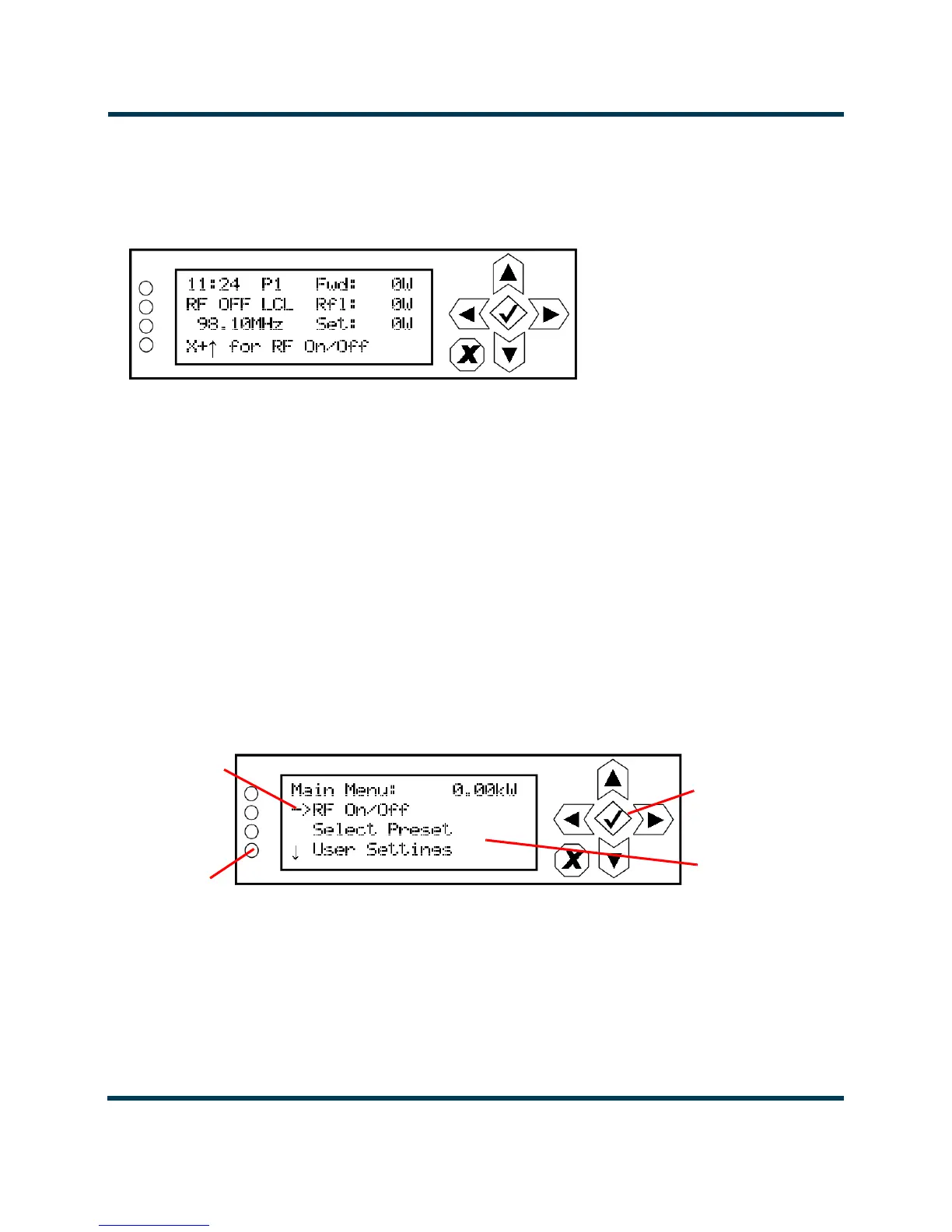
This display shows all the UI screens. The display’s top level screen, used for viewing purposes only,
is shown in Figure 2.4.
Figure 2.4: Top Level Screen
The top level screen displays the following information:
• Line 1: current time, active preset (P#) and the transmitter’s actual forward power.
• Line 2: RF operating status (ON or OFF), the local (LCL) or remote (RMT) control status
and the transmitter’s reflected power level.
• Line 3: operating frequency and the desired power set point.
• Line 4: instructions to turn the transmitter’s RF power stage on or off.
Front Panel UI - Main menu
This main menu is the starting point for navigating through the UI screens. See Table 2.1 on page 2-
12 for a list of screens and their basic functions.
Figure 2.5: Main Menu
Navigational
Buttons
LCD Display
Cursor
LEDs



 To Next Page