VS1 Operations and Maintenance Manual Operating the transmitter
Page 2-144 Issue 3.1 2013-10-01
Configuring remote inputs and outputs
You can configure your remote input/output interface for the transmitter using the remote AUI (see
Remote I/O Settings - Using the AUI) or using the local front panel display (see Remote I/O Settings
- Using the Front Panel Display on page 2-151).
Refer also to the VS1 Pre-installation Manual for information on remote inputs and outputs and their
factory default settings.
Remote I/O Settings - Using the AUI
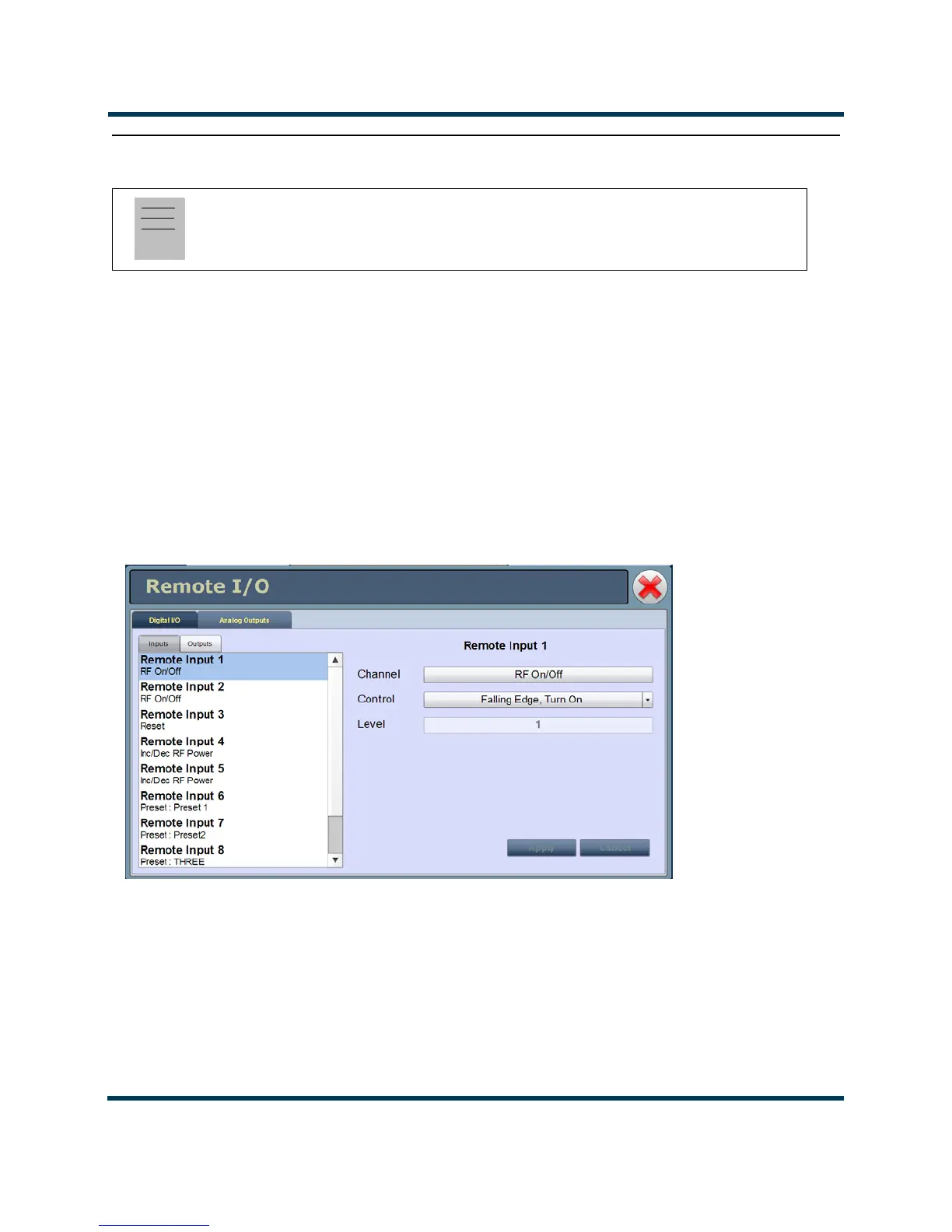
To view the Remote I/O page (see Figure 2.129), select Remote I/O from the Menu options. Click X
in the upper, right corner to close this page and return to the home page.
Figure 2.129: Remote I/O Page (Inputs Tab shown)
Click the Inputs (see Digital inputs - AUI on page 2-145) or Outputs (see Digital outputs - AUI on
page 2-147) tab to view or edit detail on the digital inputs or outputs.
Note:
This function is only available via remote connection to the AUI. However, you can view the
status of remote inputs and outputs on the front panel display.



 To Next Page