VS1 Operations and Maintenance Manual Operating the transmitter
Issue 3.1 2013-10-01 Page 2-109
User Settings - AUI
You can configure network settings, configure email and notification settings, configure SNMP
settings, capture critical transmitter data, enable the use of an external 10 MHz reference, set the
system time and date, configure the NTP server (as applicable), and set the station call sign/ID using
the
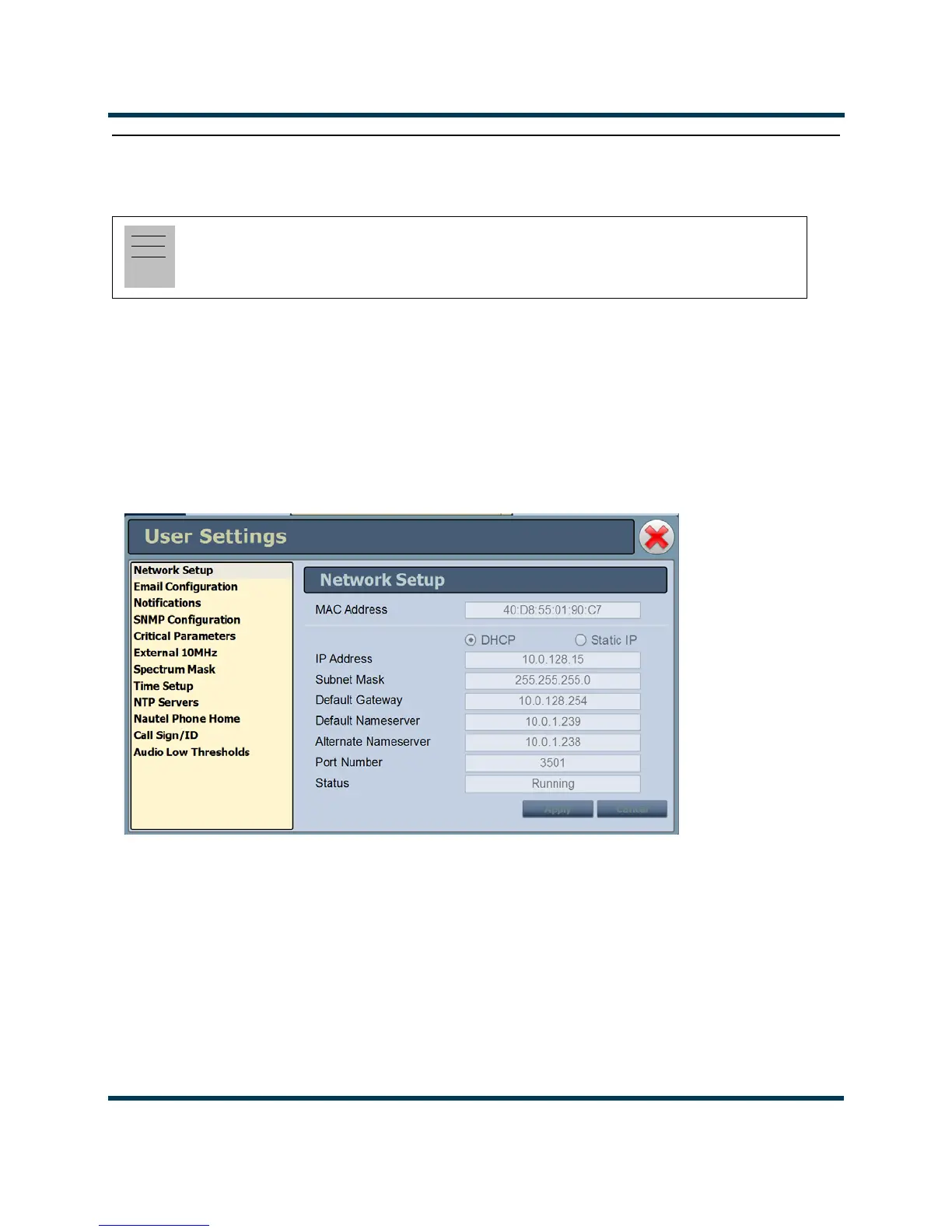
User Settings menu (see Figure 2.96). To view the User Settings menu, select User Settings
from the
Menu options. Click X in the upper, right corner to close this page and return to the home
page.
Figure 2.96: User Settings Menu (Network Setup Page Shown)
Via the User Settings menu, the following configurations are possible:
• Network Setup: The AUI allows editing of most network parameters (can edit port number
through AUI). You can edit using the remote AUI if remote control is enabled, or locally,
using the front panel UI (see Network Setup on page 2-111).
•
Email Configuration: Allows configuration of email parameters (e.g., server name, port
number, etc.) (see Email Configuration on page 2-115).
Note:
Unless otherwise noted, the following functions are only available via remote connection to the
AUI.



 To Next Page