VS1 Operations and Maintenance Manual Operating the transmitter
Page 2-30 Issue 3.1 2013-10-01
Viewing AUI Tool Menu Panels
This section includes the following topics:
• Describing AUI Tool Menu Options - see page 2-31
• AUI Tool Menu Panels Procedures - see page 2-33
• Available Instrument Panels - see page 2-35
• Spectrum analyzer - see page 2-35
• Equalizer screens - see page 2-37
• Lissajous plot - see page 2-40
• AM-AM and AM-PM correction screens - see page 2-41
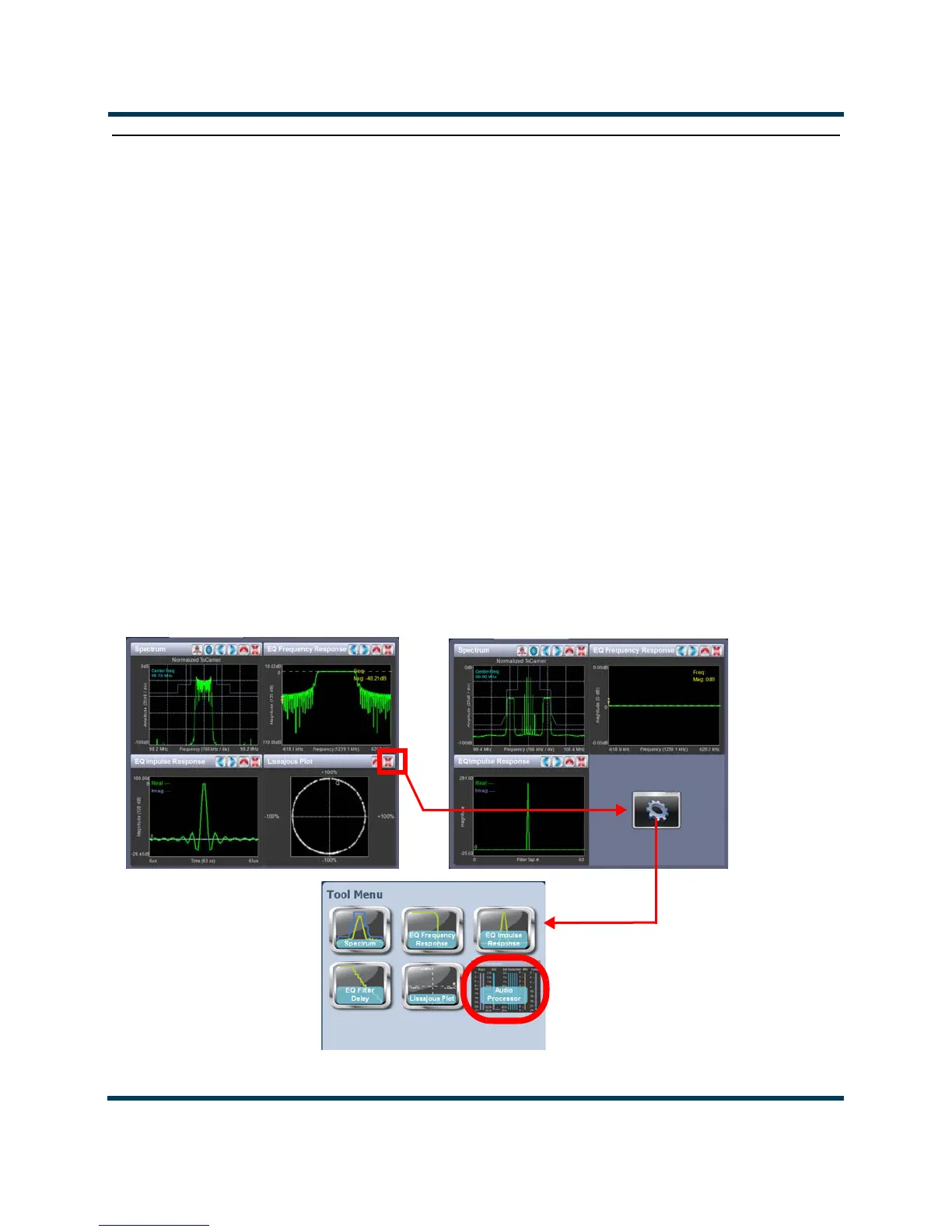
The VS1 AUI provides up to ten tool menu panels that you can choose to display on the AUI home
page (see Figure 2.17). Up to four tool menu panels can be displayed at one time, including a
spectrum analyzer. To view all the tool menu options (see Figure 2.18 on page 2-31), close one of the
existing tool menu panels on the
Home page by clicking X in the top, right corner of the tool menu
panel, and then click anywhere in the blank space (see Figure 2.17).
Figure 2.17: Tool Menus on Home page
Appears if Orban Inside
audio processor is
installed and enabled



 To Next Page